

Traditional Owners · Proponents · Heritage regulators
Show that a restricted site exists, without showing the site.
Traditional Owners, proponents and heritage regulators share site locations and knowledge restricted by gender or to particular groups. Traditional Owners hold it in their own Hub, decide who sees what, and can give a proponent Listing only, so they know a restricted site exists without seeing its details.
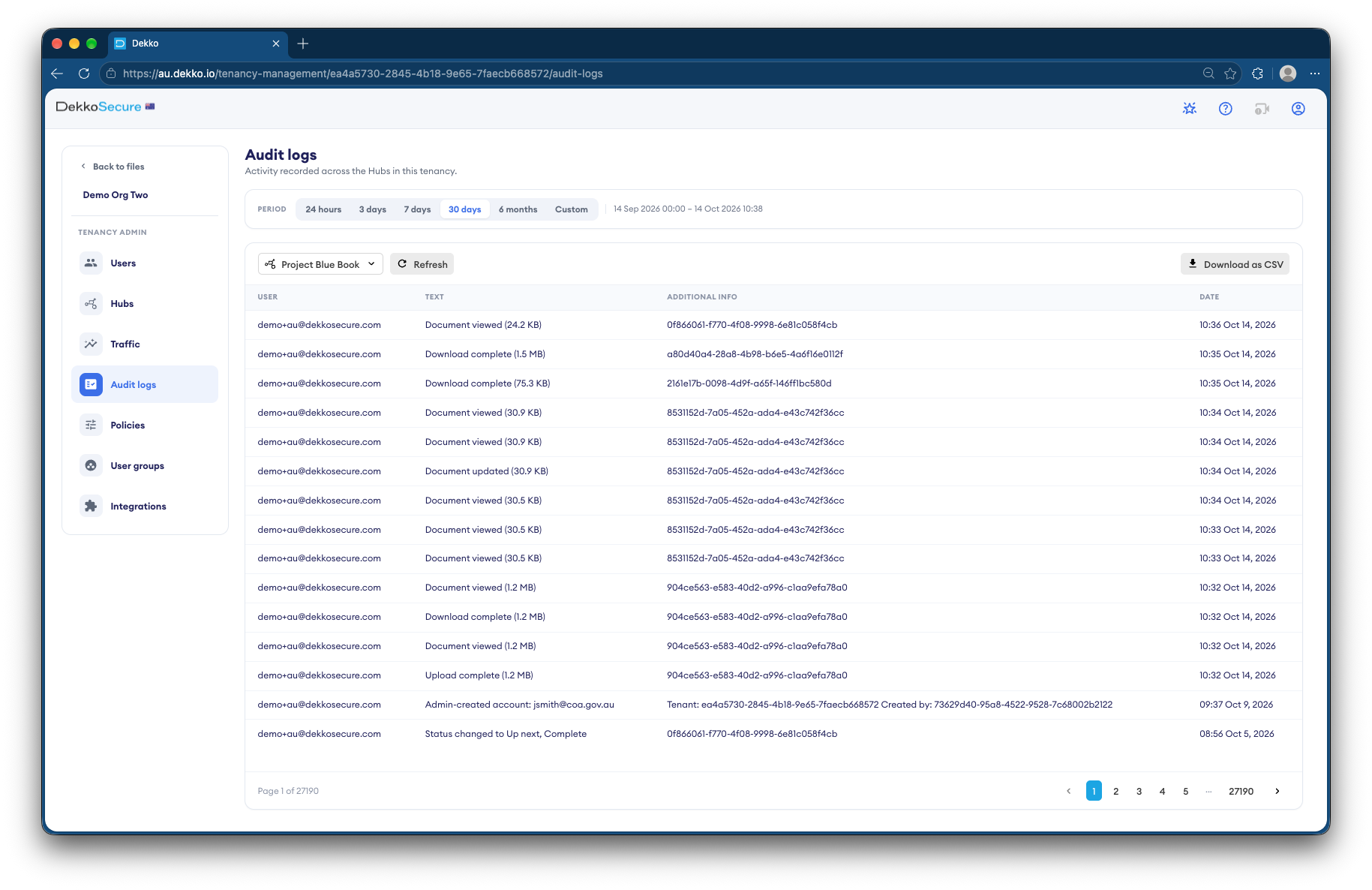
- Traditional Owners decide
- They own the Hub and set access.
- Access by group
- Restricted material for the right group.
- Listing only
- Proponents see that a file exists.
- Audit
- Every view recorded.
Why restricted knowledge needs careful sharing
Heritage processes need some information shared, such as whether a proposed development is near a site. But site locations and restricted knowledge can't simply be emailed, and once a copy is out, it can't be taken back.
Today
- Site maps emailed to proponents
- Restricted material in shared drives
- No way to limit access by group
- No record of who has seen what
With DekkoCORE
- Traditional Owners hold the material
- Proponents see Listing only
- Access limited to the right group
- Every view recorded
How it works in DekkoCORE
One heritage process, from survey to agreement.
Step 1
Traditional Owners set up the Hub
The Traditional Owner organization owns the Hub and invites everyone else.
- Hubs
Step 2
Create groups
Create a group for each set of people allowed to see restricted material, such as by gender or role.
- Groups
Step 3
Restrict each folder
Share each restricted folder only with the group it belongs to.
- Hub folders
- Groups
Step 4
Give proponents Listing only
Proponents see that a file exists, with its name and date, but can't open it.
- Listing only
Step 5
Keep the record
The audit log shows who viewed what, and when.
- Audit log
Who gets what access
A typical heritage process. You can change or remove anyone's access at any time.
Traditional Owner organization
Full permissions
Holds the material and decides access.
Knowledge holders
View only, by group
See the material restricted to them.
Heritage regulator
View only
Sees what's shared for assessment.
Proponent
Listing only
Knows a site exists, not its details.
The bars show a permission level, from Listing only (one bar) to Full permissions (seven).
Questions
What does a proponent see with Listing only?
A file's name, size and date, and nothing else. They can't open, view or download it, so name files with that in mind.
Who decides who sees restricted knowledge?
Whoever owns the Hub. When the Traditional Owner organization owns it, they decide who's invited, which groups exist and what each group sees.
Can we show who has viewed restricted material?
Yes. The audit log lists every view and download with the person and the date, and exports as CSV.
What happens if we remove someone's access?
Their access ends straight away. Anything they've already seen or downloaded isn't taken back, so share restricted material only with the right people.
Does this replace heritage registers?
No. DekkoCORE is for sharing files between Traditional Owners, proponents and regulators, alongside the registers you already use.
Where is the material stored?
DekkoCORE is hosted in-country, in Australia, the United States or Canada.
Sharing heritage information?
Tell us who needs to know what. We'll show you how access by group and Listing only work in DekkoCORE.