

Grant programs · Award panels · Tender evaluation
Assessors read the bids, declare conflicts, and score them, all on the record.
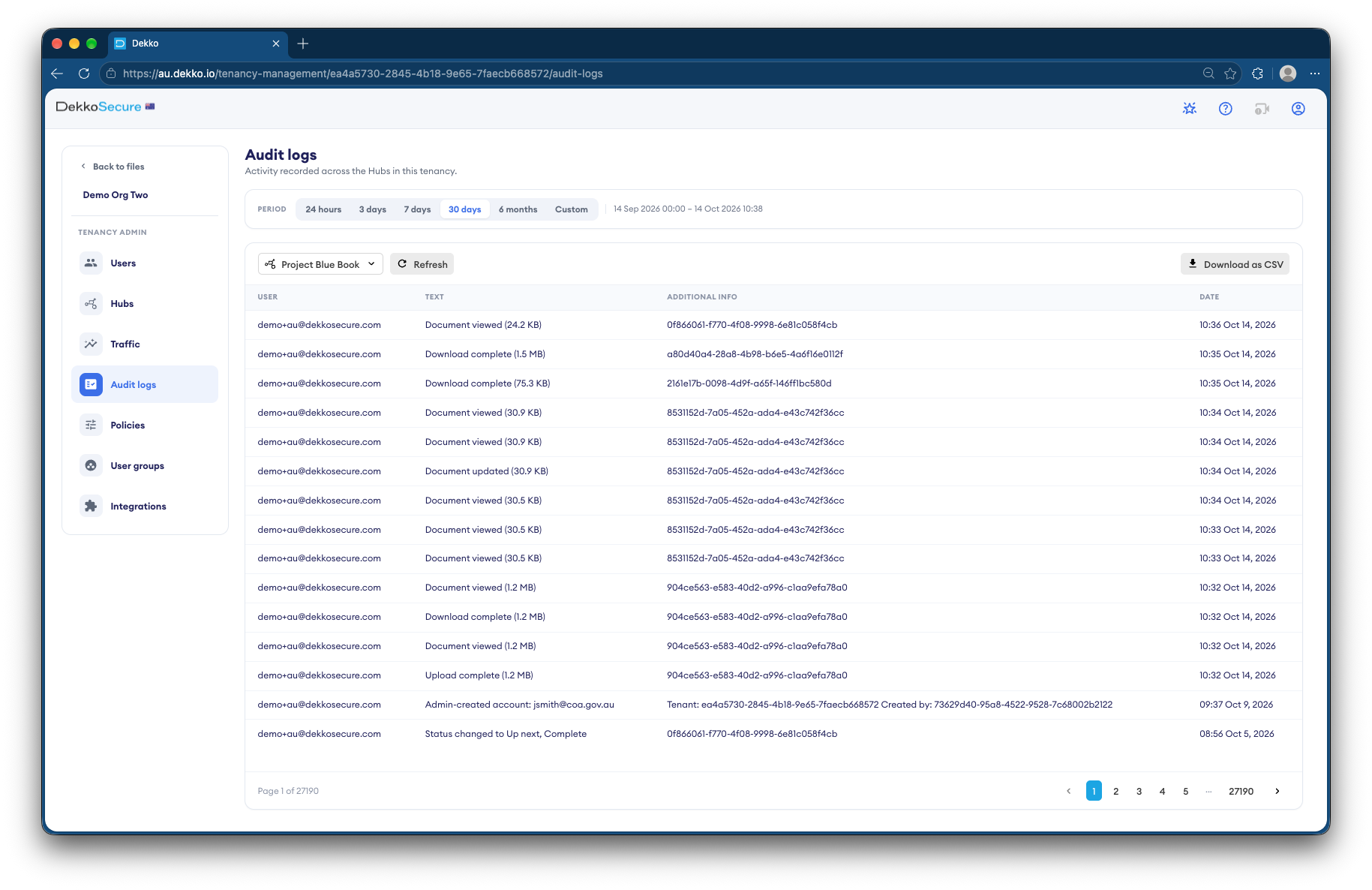
Panels read applications and bids at View only, declare conflicts and score on forms each assessor signs, and export the scores as CSV. The audit log shows who viewed which bid.
- Bids and applications
- View only, for assessors.
- Conflicts
- Declared on a signed form.
- Scores
- Signed forms that export as CSV.
- Probity record
- Who viewed which bid, and when.
Why evaluations are hard to defend
Grant and tender decisions get challenged, and the panel has to show who saw what, who declared what, and how each score was reached.
Today
- Bids emailed to each assessor
- Conflict declarations on paper
- Scores in a shared spreadsheet
- No record of who opened which bid
With DekkoCORE
- Assessors read bids View only
- Conflicts declared on a signed form
- Scores on forms each assessor signs
- The audit log shows every view
How it works in DekkoCORE
One evaluation, from closing date to moderated scores.
Step 1
Load the bids
Put the applications or bids into the evaluation's folder after close.
- Hub folders
Step 2
Declare conflicts
Each assessor completes a conflict of interest form, signed as they submit it.
- Forms
Step 3
Read the bids
Share the bids with assessors at View only, so nothing leaves the evaluation.
- View only
Step 4
Score them
Assessors score each bid on a form. The answers export as CSV for moderation.
- Forms
- CSV export
Step 5
Keep the probity record
The audit log shows who viewed which bid and when.
- Audit log
Who gets what access
A typical evaluation. You can change or remove anyone's access at any time.
Program or procurement team
Full permissions
Runs the evaluation.
Panel chair
Manager
Moderates scores and briefs the delegate.
Assessors
View only
Read and score the bids.
Probity adviser
View only
Reviews the record.
The bars show a permission level, from Listing only (one bar) to Full permissions (seven).
Questions
Can assessors download the bids?
Not with View only. They read the bids in the browser, and you can remove their access when scoring closes.
Who can see an assessor's form answers?
Your team, as the form's owner. Each answer is encrypted and signed by the assessor, and DekkoSecure can't read it.
Do assessors need accounts?
Yes. Forms go to registered users, which is what lets each answer be signed by its assessor.
Can we show who viewed each bid?
Yes. The audit log lists every view with the person and the date, and exports as CSV.
Does this cover issuing the tender?
This page covers evaluation after close. For issuing tender documents and receiving bids, see Infrastructure tenders.
Running an assessment panel?
Tell us how assessors receive bids and record their scores today. We'll show you the same evaluation in DekkoCORE.