

Electoral commissions · Members of parliament · Parties
Release roll extracts to each party and member, and know who downloaded them.
Electoral commissions share each roll extract with the member or party entitled to it, at Download with an expiry date. Each file records who downloaded it and when.
- One folder per recipient
- Each party or member sees only its own extract.
- Download access
- With an expiry date.
- Download record
- Who downloaded each file, and when.
- Access ends
- On the date you set.
Why roll releases are hard to control
Roll extracts carry the names and addresses of electors, and the law limits who may receive them and what they may be used for.
Today
- Extracts on disc or by email
- The same file sent to many offices
- No record of who downloaded what
- Old extracts kept indefinitely
With DekkoCORE
- Each recipient gets its own folder
- Download access with an expiry date
- Each file records who downloaded it
- Access ends on the date you set
How it works in DekkoCORE
One release, from preparing the extracts to access ending.
Step 1
Prepare each extract
Put each recipient's extract in its own folder.
- Hub folders
Step 2
Share it with the recipient
Share the folder with the member's or party's authorized staff at Download, with an expiry date.
- Download
- Access expiry
Step 3
They download it
Authorized staff sign in and download the extract.
- Download
Step 4
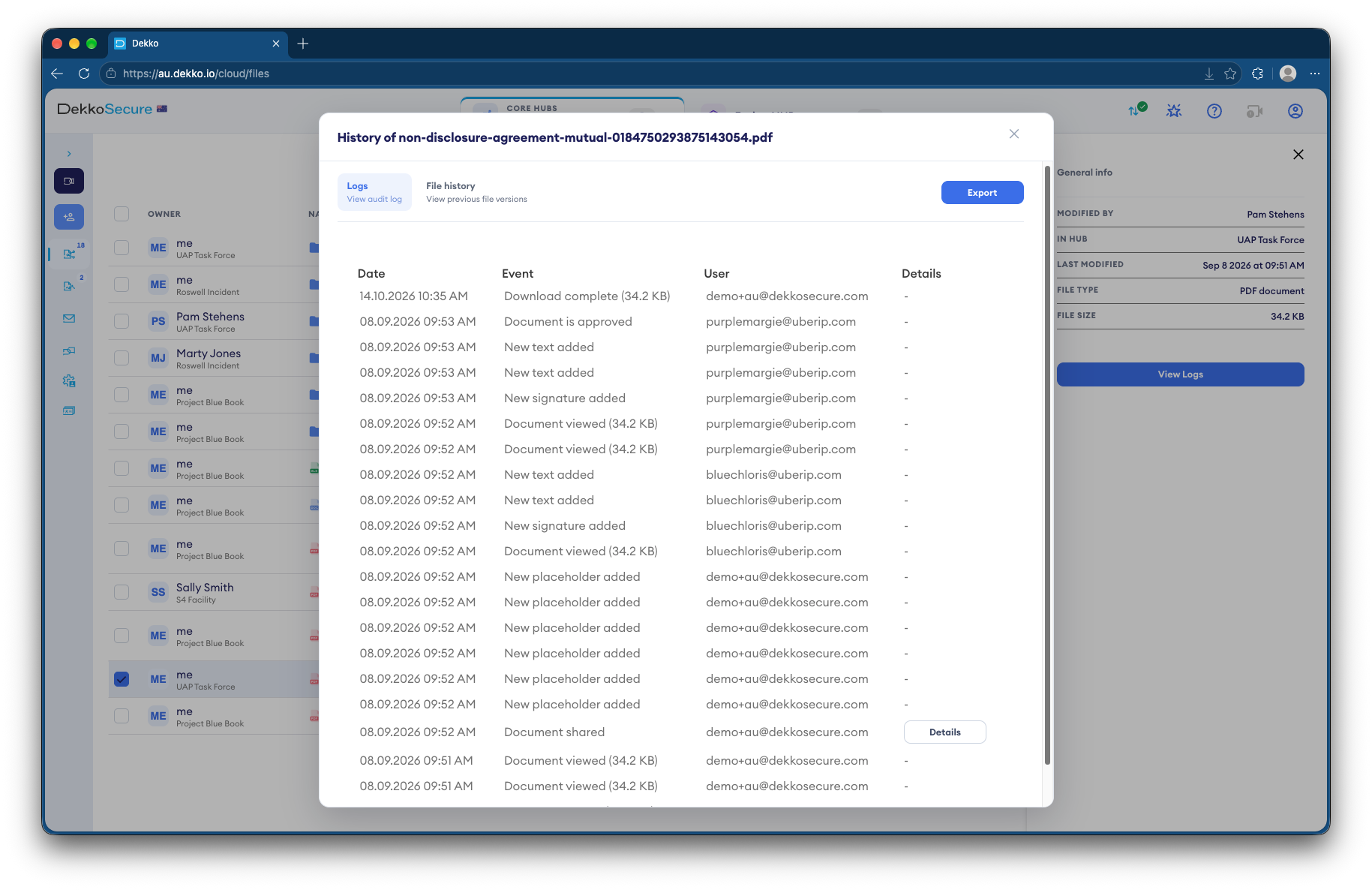
Every download is recorded
Each file lists who downloaded it and when.
- File history
Step 5
Access ends
On the expiry date, access ends. Issue the next extract the same way.
- Access expiry
Who gets what access
A typical release. You can change or remove anyone's access at any time.
Electoral commission
Full permissions
Prepares and releases the extracts.
Authorized staff of each recipient
Download, until a set date
Download their own extract.
Commission auditors
View only
Check what was released.
Other members and parties
Not shared
Never see another's extract.
The bars show a permission level, from Listing only (one bar) to Full permissions (seven).
Questions
Can one party see another party's extract?
No. Each recipient's extract is in its own folder, shared only with that recipient.
How do we know who downloaded an extract?
Each file lists who downloaded it and when, and the audit log exports as CSV.
Can recipients keep the extract after access ends?
Copies they downloaded stay with them, under the conditions of the release. Their access in DekkoCORE ends on the expiry date.
Do recipients need accounts?
Yes. You share with named, authorized staff, so every download is recorded against a person.
Where is the data stored?
DekkoCORE is hosted in-country, in Australia, the United States or Canada.
Releasing roll extracts?
Tell us how extracts reach members and parties today. We'll show you the same release in DekkoCORE.