

Departments · Ministers' offices · Briefing units
PROTECTED briefs between departments and ministers' offices, without a shared network.
Departments and ministers' offices exchange PROTECTED briefs in DekkoCORE when they don't share a network. The marking shows in every message, read receipts confirm delivery, and sign-in can require a passkey.
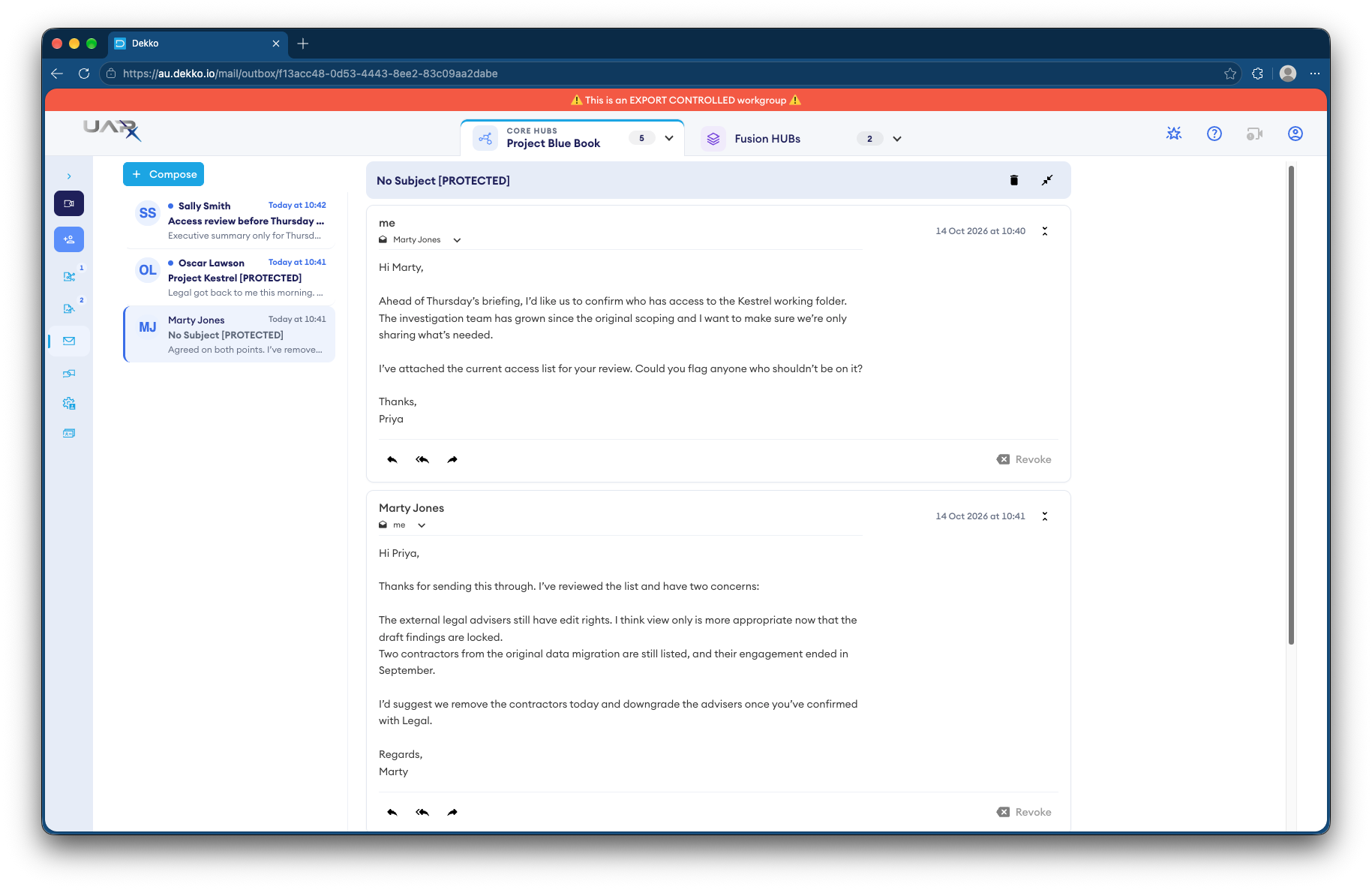
- Marked PROTECTED
- The marking in every subject line.
- Read receipts
- See when a brief was opened.
- Recall
- Take back a message before it's opened.
- Passkeys
- Sign-in can require a hardware passkey.
Why ministerial briefs are hard to move
Departments and ministers' offices often sit on different networks, and briefs need to move quickly without losing their markings.
Today
- Briefs printed and walked across
- Markings lost when documents are forwarded
- No confirmation a brief was read
- Edits traded as attachments
With DekkoCORE
- Briefs sent as encrypted messages
- The marking shows in every subject line
- Read receipts show when it was opened
- Co-editing in the browser, with printing off
How it works in DekkoCORE
One brief, from drafting in the department to the minister's office.
Step 1
Draft the brief
Draft it in the department's Hub, co-editing in the browser when several areas contribute.
- Document editor
Step 2
Mark it
Choose the classification as you send. PROTECTED shows in the subject line of secure mail.
- Classification labels
Step 3
Send it to the minister's office
Send the brief as an encrypted message, or share the file View only with printing turned off.
- Secure mail
- View only
Step 4
Confirm it was read
A read receipt shows when the office opened it.
- Read receipts
Step 5
Recall it if needed
Recall a message sent in error before it's opened.
- Recall
Who gets what access
A typical brief. You can change or remove anyone's access at any time.
Departmental briefing unit
Full permissions
Drafts, marks and sends briefs.
Contributing line areas
Editor
Co-edit their part of the brief.
Minister's office
View only
Reads the brief, with printing off.
Other agencies
Not shared
See only briefs sent to them.
The bars show a permission level, from Listing only (one bar) to Full permissions (seven).
Questions
Which classification markings does DekkoCORE support?
OFFICIAL, OFFICIAL: Sensitive and PROTECTED. It doesn't apply caveats such as CABINET.
Is DekkoCORE assessed for PROTECTED information?
Yes. DekkoCORE is IRAP assessed to PROTECTED.
What does recall do?
It removes a message you've sent from recipients who haven't opened it yet. Once a message has been read, recall can't take it back.
Can the minister's office print a brief?
Not if you share it View only with printing turned off. They read it in the browser.
How is sign-in protected?
Your tenancy can require passkeys, including hardware security keys, or two-factor authentication, and can use Microsoft Entra ID single sign-on.
Moving briefs between a department and a minister's office?
Tell us how briefs travel today. We'll show you the same path in DekkoCORE, with your markings and sign-in rules.