

Forensic labs · Police · Prosecutors · Defense experts
Release forensic reports once they're signed off, and show a copy hasn't changed.
Labs get each report signed by the examiner and a reviewer before anyone can download it. Anyone given a copy later can check it against the signed version with DekkoSecure's file validator.
- Who it's for
- DNA, toxicology and digital forensic labs.
- Sign-off
- The examiner, plus any one reviewer from a group.
- Before sign-off
- The report can't be downloaded.
- Checking a copy
- The file validator shows if a copy matches.
Why forensic reports are hard to release
A report carries weight because of who examined the evidence, who reviewed the work, and the fact that it hasn't changed since.
Today
- Wet-ink or scanned signatures
- Review tracked by email
- Copies forwarded on with no way to check them
- Personal results in ordinary inboxes
With DekkoCORE
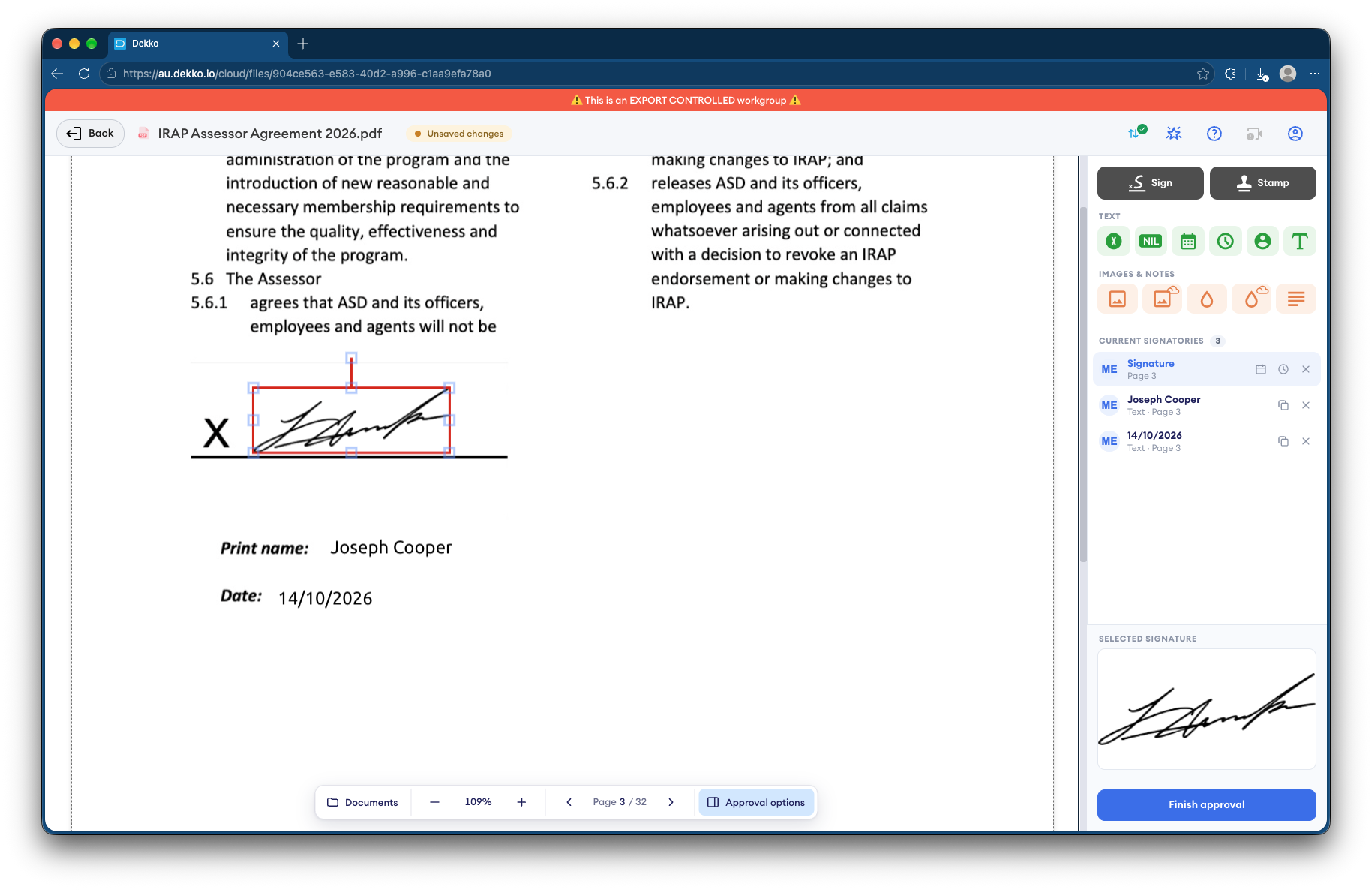
- Signatures requested and recorded in the browser
- No download until the sign-off is complete
- Any copy can be checked against the signed version
- Each file lists who viewed and downloaded it
How it works in DekkoCORE
One report, from draft to a copy checked months later.
Step 1
Upload the draft
The examiner adds the report to the case's folder in the lab's Hub.
- Hub folders
Step 2
Request the signatures
Ask the examiner and a group of reviewers to sign. Any one reviewer in the group can sign.
- Request signature
- Signer groups
Step 3
Release it once signed
Until the sign-off is complete, it can't be downloaded. Then share it with police and the prosecutor.
- Signing
- Download
Step 4
Share with defense experts
Share the signed report directly with the defense's expert, until a date you set.
- View only or Download
- Access expiry
Step 5
Check any copy
Anyone can check a copy with the file validator. A changed copy won't match.
- File verification
Who gets what access
A typical case. You can change or remove anyone's access at any time.
Lab examiner and quality team
Full permissions
Hold the case folder and release reports.
Reviewers
Signature request
Any one of them reviews and signs.
Investigating police and prosecutor
Download
Need the signed report for the brief.
Defense expert
View only, until a set date
Reviews the report the prosecution relies on.
The bars show a permission level, from Listing only (one bar) to Full permissions (seven).
Questions
Are signatures in DekkoCORE certificate-based digital signatures?
No. A signature in DekkoCORE is a signature mark applied to the PDF, with the signing recorded against the file. To check that a copy is genuine, use DekkoSecure's file validator.
What does a signature from any one reviewer mean?
You can request a signature from a group, such as your senior scientists. A signature from any one person in the group completes that part of the sign-off.
How does someone check a copy of a report?
They open DekkoSecure's file validator and add the copy. A match shows where it came from, and a copy that's been changed since download won't match. DekkoSecure doesn't access the file to check it.
Can a defense expert see the lab's other cases?
No. They see only what you share with them, and only until the date you set.
Do police and prosecutors need an account?
Yes. You share with named people who sign in, so every view and download is recorded against a person.
Releasing forensic reports to police and the defense?
Tell us how reports are reviewed, signed and released today. We'll show you the same sign-off in DekkoCORE, with your own reviewers and recipients.