Skip to content

Every site in your network,working from the same file.

DekkoCORE gives a hospital group one end-to-end encrypted place to share files with its regional and remote sites, and to edit documents together in the browser. Access follows the groups people belong to, and every view, edit and download is recorded.

An example hospital network drawn as a transit map: lines from a metro hospital to a regional hospital, a district hospital, a rural health service, a community health centre and a mental health unit, each named for the files that travel it.
  • Procedures line to Regional hospitalFalls_procedure.docx · editing
  • Rosters line to District hospitalTheatre_roster.xlsx
  • Training line to Rural health serviceTraining_video.mp4 · 2.4 GB
  • Transfers line to Community healthTransfer_summary.pdf
  • Committee papers line to Mental health unitCommittee_papers.pptx

The same file, every site

One procedure. Six copies in six inboxes.

Email a document to a network of sites and it comes back as a pile of copies, each with someone's edits. In DekkoCORE, every site opens and edits the same file, and earlier versions stay in its history.

Six emailed copies of the same procedure, each with its own name and edits, beside the one file every site edits in DekkoCORE.

The procedure line

One procedure, from draft to every ward.

Follow an updated falls prevention procedure through six stations across an example network.

  1. Mon 08:30

    Metro hospital · Clinical governance

    The draft starts in the Hub, not an inbox.

    The clinical governance team writes the updated procedure in the browser's document editor, in a Hub only the people working on it can open.

    • Word, Excel and PowerPoint files, edited in the browser
    • Saved straight back to the Hub
    • No attachment to send round
    Falls prevention procedure.docxDraft

    Hub: Clinical governance · 3 members

  2. Mon 10:15

    Regional, district and rural sites

    Clinicians at three sites edit it at once.

    Senior nurses at the regional, district and rural sites open the same file and make their changes live, side by side. Nobody has to merge anyone else's copy.

    • Live co-editing for people with Editor or Full permissions
    • A version saved shortly after each pause in editing
    • Each editor's session recorded in the file's history
    Falls prevention procedure.docx4 editing
    RegionalDistrictRural

    Version saved · just now

  3. Mon 14:00

    Clinical governance committee

    The committee goes through it together.

    Committee members join an end-to-end encrypted video meeting in the same platform, share the screen and talk the changes through, with group chat alongside.

    • Video meetings with screen sharing
    • Group chat in the meeting
    • Read and annotate in the secure viewer
    ChairMedicalNursing

    Sharing screen: Falls prevention procedure.docx

  4. Mon 16:40

    Executive director of nursing

    Approved and signed in the browser.

    The final version goes to the executive director of nursing as a signature request. They sign in, read it and sign, and the signature is recorded against the file.

    • Signature requests on PDF and Word files
    • Signers sign in before they can sign
    • Signed and approved events in the file history
    Falls prevention procedure.docxSigned

    Executive director of nursing

    Signed Mon 16:40

  5. Tue 07:00

    Every ward, at every site

    Published to every ward through their groups.

    The signed procedure goes into the network's shared Hub, where each group gets access straight away at the level set for it. A nurse who joins the group next month will see it too.

    • Access given to groups, not file by file
    • New members see what the group can see
    • Removed members lose access straight away
    • Nursing · all sites View
    • Medical staff View
    • Nurse unit managers Editor
  6. Tue 07:05

    Rural health service

    The rural site has it on its own drive.

    At the rural site, DekkoDrive keeps the Hub's folders in step with local or network storage on Windows, encrypting and decrypting as it goes. Large files go up through the Upload Accelerator.

    • DekkoDrive sync to a local or networked drive
    • Upload Accelerator for large and bulk uploads
    • The same access rules wherever files are opened

    DekkoDrive (D:)

    Network procedures

    Clinical procedures

    Falls prevention procedure.docxSynced
Access by group

Access follows the groups people belong to.

In a Fusion Hub, files are shared with groups rather than one person at a time. Add a new starter to a group and they see everything it can, including files from before they joined. Remove someone and their access ends straight away.

An example of how a network might set up its shared Hub. Groups, folders and levels are yours to choose, from listing only to full permissions.

Example access levels for each group in a hospital network's shared Hub
GroupClinical proceduresEducationRostersCommittee papers
Nursing · all sitesViewViewViewNo access
Medical staffViewViewViewNo access
Nurse unit managersEditorEditorEditorNo access
Clinical governanceFullEditorNo accessFull
Education teamViewFullNo accessNo access
Committee membersViewNo accessNo accessEditor

Visiting specialists and other services. Invite them to a Hub as external members and share only what they need. External members can't see each other.

One-off sends. A guest link lasts from 3 days to 1 month, can accept uploads if you allow it, and can be revoked at any time.

Protections

What your governance team will ask.

Encrypted before it leaves the ward
Files are end-to-end encrypted on the device that sends them. DekkoSecure can't read them, and neither can anyone in between.
Hosted in Australia
DekkoCORE is hosted in-country and IRAP assessed for Australian government PROTECTED information.
Staff sign in with their hospital account
Single sign-on with Microsoft Entra ID, with Conditional Access if you want to limit where and how staff sign in.
Hubs open only from the regions you allow
Region protection is an IP-based allow-list for every Hub in your tenancy: a first line of defence, alongside sign-in.
Every upload can be scanned
Cloud-based malware scanning over ICAP checks files as they arrive, before anyone at another site opens them.
Files kept only as long as needed
A data expiration policy sets a maximum file lifetime in days, and previous versions can be kept for a set period.

In the product

Where the work happens.

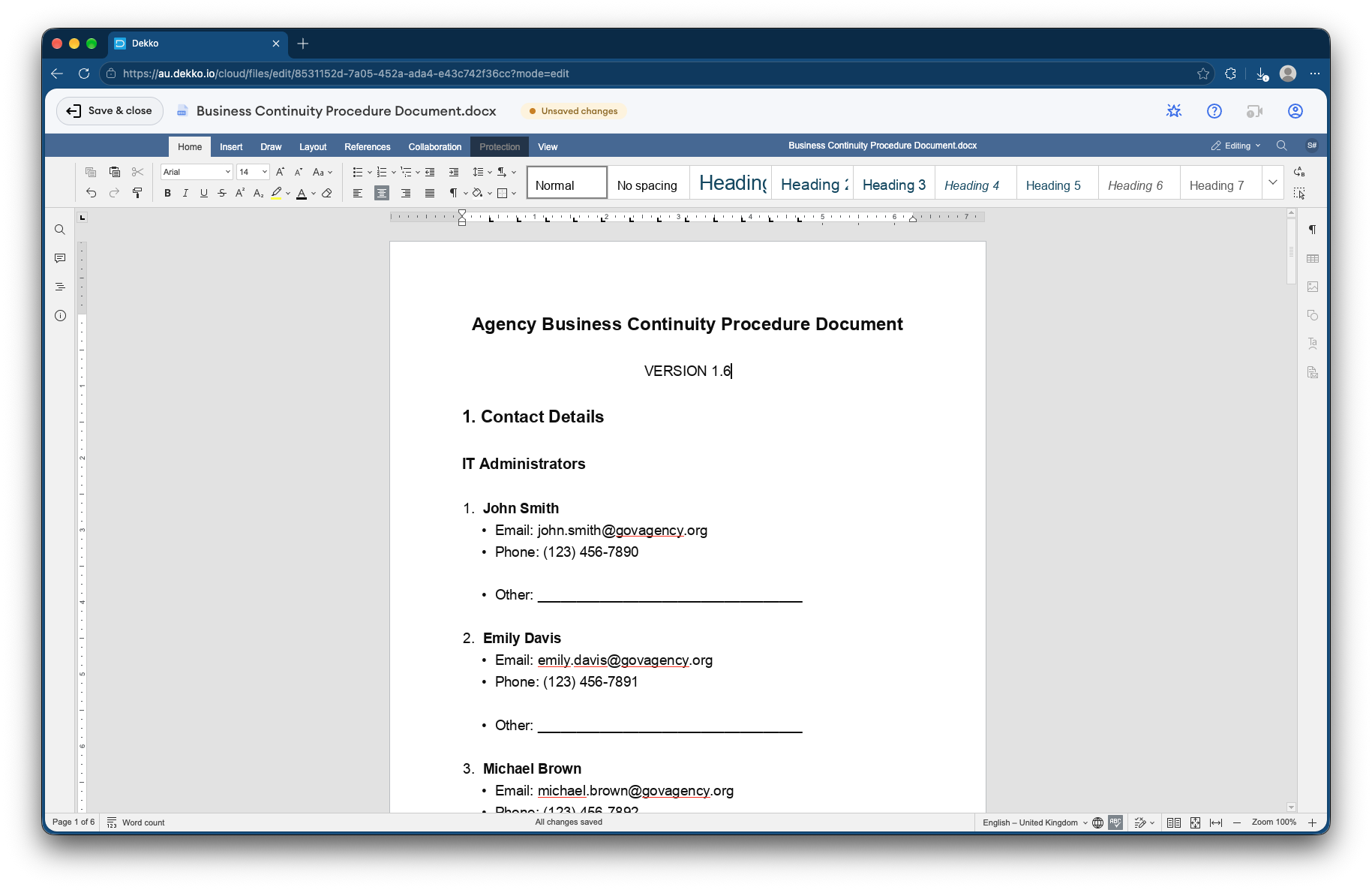
A procedure document open in the DekkoCORE document editor, with the editing toolbar and a Save and close button
Edited in the browserWord, Excel and PowerPoint files open in a full editor inside DekkoCORE, and save straight back to the Hub.
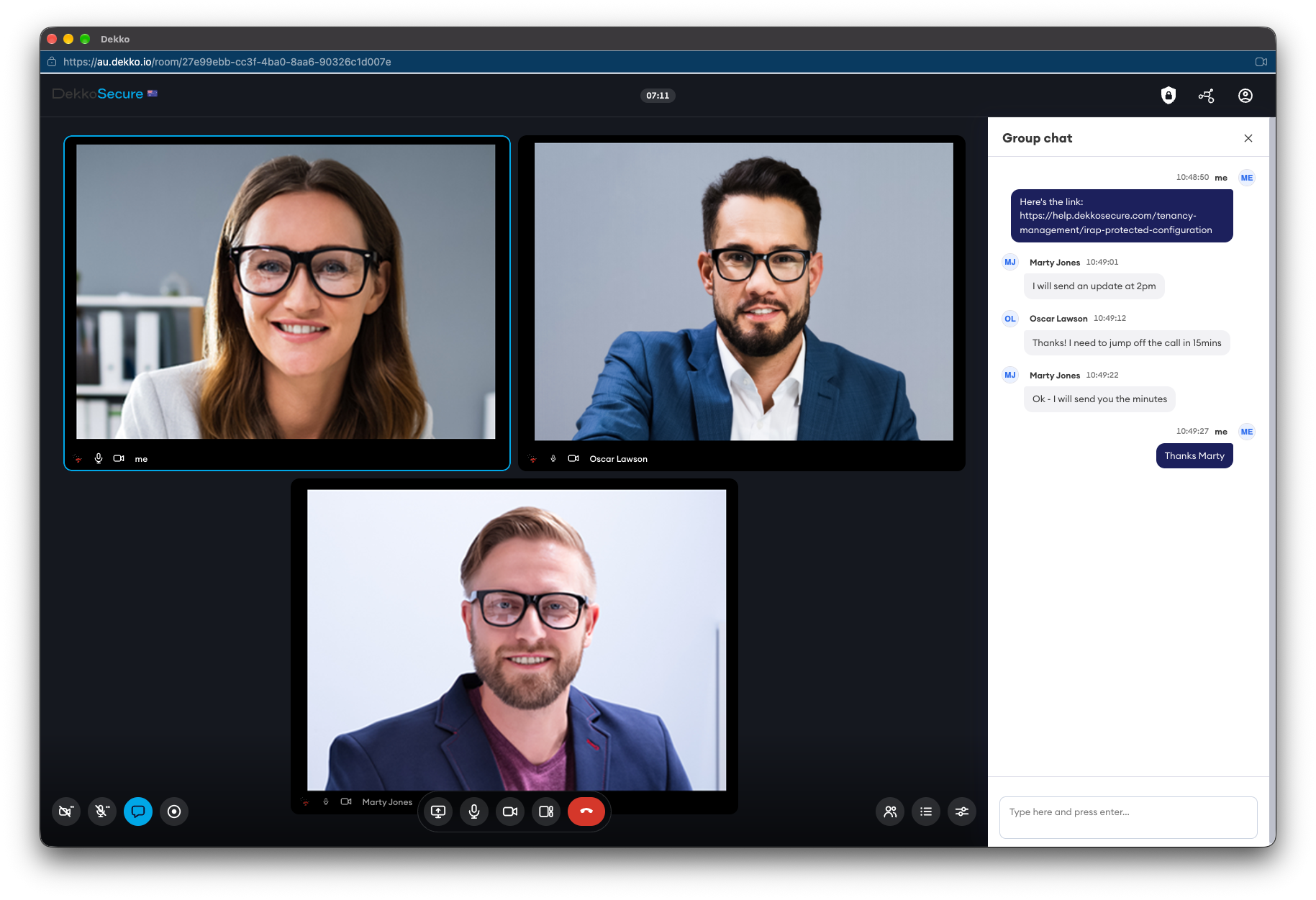
A DekkoSecure video meeting with three participants and a group chat panel
Talked through in a meetingEnd-to-end encrypted video meetings with screen sharing and group chat, in the same platform as the files.

Questions

Asked by hospital groups.

Can staff at different sites edit the same document at once?

Yes. Word, Excel and PowerPoint files (DOCX, XLSX and PPTX) can be co-edited live in the browser by anyone the file is shared with at Editor or Full permissions. Versions are saved as people edit, and each editing session is logged in the file's history.

What happens when someone moves site or leaves?

In a Fusion Hub, access is given to groups. Add someone to a group and they see everything that group can, including files added before they joined. Remove them and their access ends straight away, unless another of their groups has access. DekkoSecure sets Fusion Hubs up for you.

Our remote sites have slow connections. Can they still send large files?

Yes. The Upload Accelerator is a Windows app built for large and bulk uploads. DekkoDrive, also for Windows, keeps a Hub's folders in step with local or network storage, so files are there to open with other applications.

Can we share with visiting specialists or other health services?

Yes. Invite them to a Hub as external members and share only what they need. External members can't see each other. For a one-off send, a guest link lasts from 3 days to 1 month and can be revoked at any time.

Does it replace our clinical record system?

No. Your clinical record system stays the record of care. DekkoCORE is for the files and documents that move between people and sites: procedures, rosters, committee papers, transfer documents, training material and the like.

Where is the data stored?

DekkoCORE is hosted in-country in Australia, the United States and Canada, and is IRAP assessed for Australian government PROTECTED information.

Map your network with us.

Tell us which sites share files today and how. We'll show you the same network in DekkoCORE, with groups, live editing and the record in one place.