

Every agency at the table.No keys passed under it.
DekkoCORE gives police agencies running joint technical operations one end-to-end encrypted place to share capability material with their partners, at home and overseas. Each agency sees only what's shared with it, encryption keys are handled by the platform, and every view and download is recorded.
Joint technical centre · Operation EX-12
Lead agency
Agency B
Agency C
Agency D
Agency E
Agency F
Overseas partner
The old way
A key by text message is still a key.
Sharing capability material between agencies often means encrypting a folder by hand, sending it by email or on a USB drive, and texting the key separately. It's slow, it's easy to get wrong, and every copy of the folder and every key on a phone is one more thing to account for if the material leaks.
- Lead agencycapability_overview.zip (encrypted)Sent to 23 people at 6 agencies
- Lead agencyPassword for the folder: ••••••••••Sent by text message, 21:14
- Agency CRE: the password didn't work, can you resend?Reply all
The agenda
One operation, from first briefing to stand-down.
Item 1
Open a Hub for the operation
The lead agency opens a Hub for the operation and gives each partner agency its own folders. Files are encrypted on the device that uploads them, and the platform handles the keys, so nobody encrypts a folder by hand.
- A Hub per operation
- Folders per agency
- Keys handled by the platform
Item 2
Bring in the partner agencies
Officers at partner agencies are invited by email and register in the browser, with no software to install and no IT ticket at either end. They join as External Members, who see the lead agency's team but never each other.
- Invitations by email
- Nothing to install
- Partners can't see each other
Item 3
Share the briefing pack by need-to-know
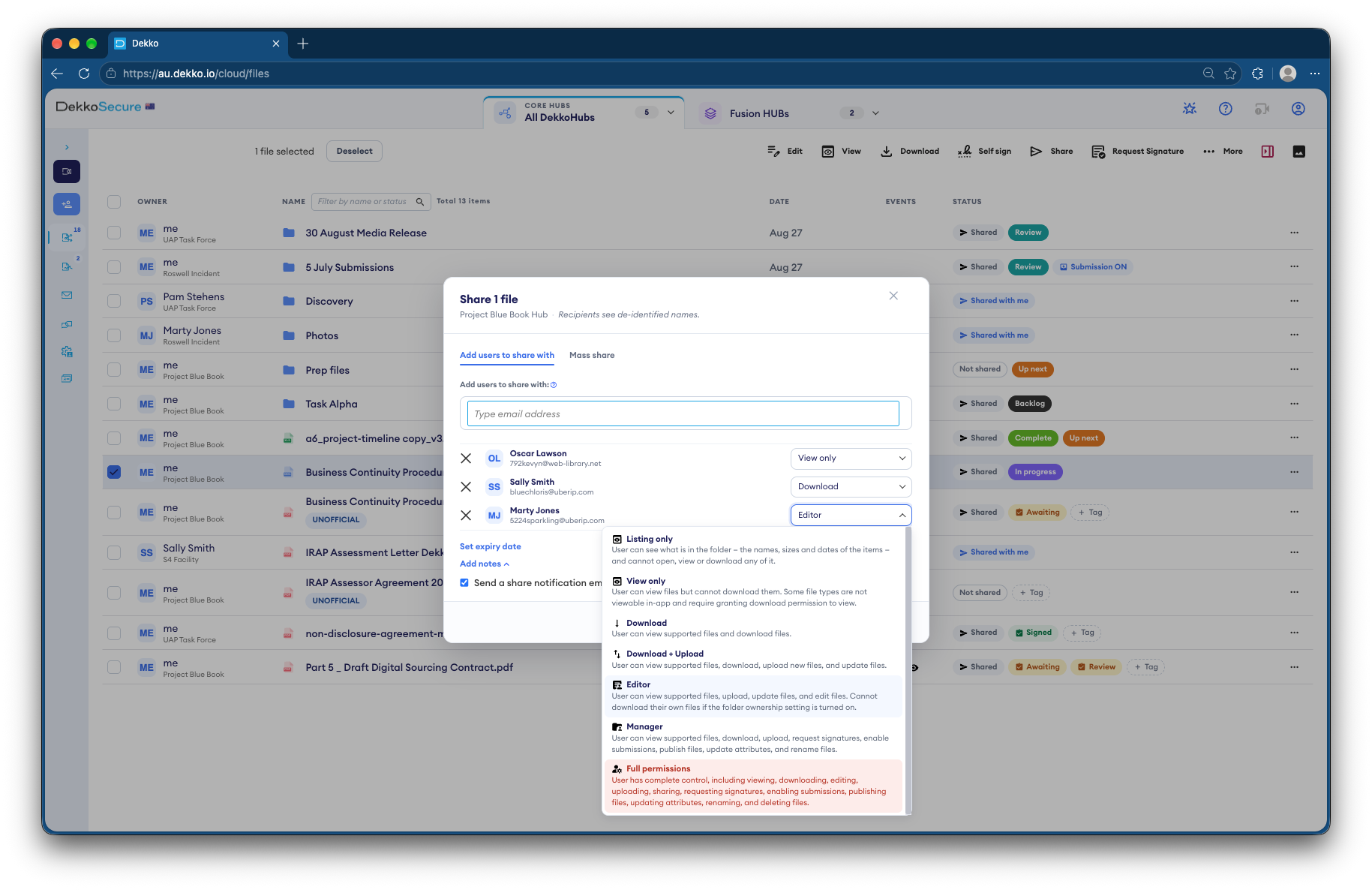
Each agency gets only the files its part of the operation needs, at the level you choose. The overseas partner reads the overview View only, for 30 days, in the secure viewer.
- Seven permission levels
- View only in the secure viewer
- Expiry dates on every share
Item 4
Talk it through in the same place
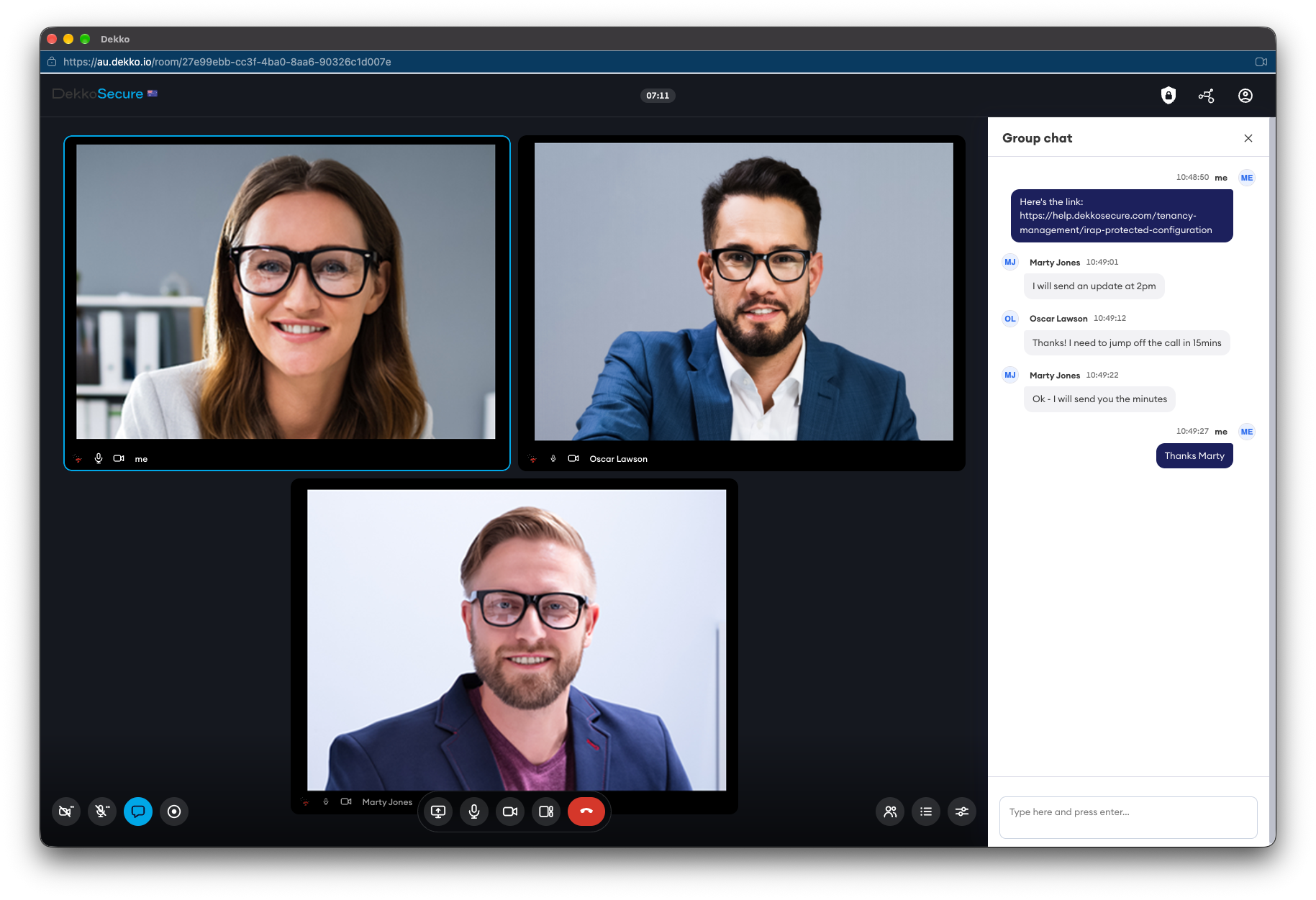
Questions go in encrypted messages beside the files, and the partner briefing happens in a DekkoCORE meeting, not on a consumer video call with the material shared on screen.
- Encrypted messaging
- Video meetings and screen sharing
- Encrypted mail you can revoke before it's read
Item 5
Stand down, and keep the record
When the operation ends, revoke the partners' access or let it expire. The file history shows which agency opened what, and when, ready to export.
- Revoke access at any time
- File history of every view and download
- Audit logs as CSV or streamed to Log Analytics
Other business
Questions agencies ask before a joint operation
Protections
What each agency's security team will ask.
- No keys to pass around
- Encryption and key management happen in the platform, so there's no password to text, email or lose.
- Zero-knowledge, end to end
- DekkoSecure can't open your capability material, and neither can anyone outside the share.
- Agencies walled off
- Partner agencies see the lead agency's team, never each other, and only the folders shared with them.
- Hosted in-country
- Hosted in Australia, the United States and Canada, and IRAP assessed to PROTECTED.
- Sign-in you can enforce
- Two-factor authentication, passkeys with hardware attestation and single sign-on for everyone in the tenancy.
- Hubs open only from where you allow
- Region protection is an IP-based allow-list for every Hub, alongside sign-in.
In the product
Questions
Asked before a joint operation.
Who manages the encryption keys?
The platform does, without anyone having to think about it. Files are encrypted on the uploader's device and DekkoSecure never holds the keys to read them, so there's no password to send to partner agencies.
Can partner agencies see each other?
No. Partner agencies join your Hub as External Members, who see your Team Members but can't see or contact other External Members, even when the same file is shared with them.
Can we share with agencies overseas?
Yes. Invite them as External Members and share what they need, View only and with an expiry date if you prefer. Your tenancy's data stays in the country you host it in: Australia, the United States or Canada.
Do partner agencies need DekkoSecure?
No. They're invited by you and register a DekkoSecure account in the browser to take part. Their own agency doesn't need a subscription.
How large can the files be?
There are no file size limits. Large files go up in the browser or through the Upload Accelerator.
Set the table for your next operation.
Tell us which agencies work together and how material reaches them today. We'll show you the same operation in a Hub, with a seat for every partner.