

Energy retailers · Telcos · Distributors · Customers
Collect medical confirmation forms through a QR code on your letter, and pass them on safely.
When a customer registers for life support or medical priority assistance, energy retailers and telcos need a medical confirmation form from their doctor. Customers upload it through a submission link or a QR code on your letter, status tags track each registration, and energy retailers send confirmed forms to the distributor.
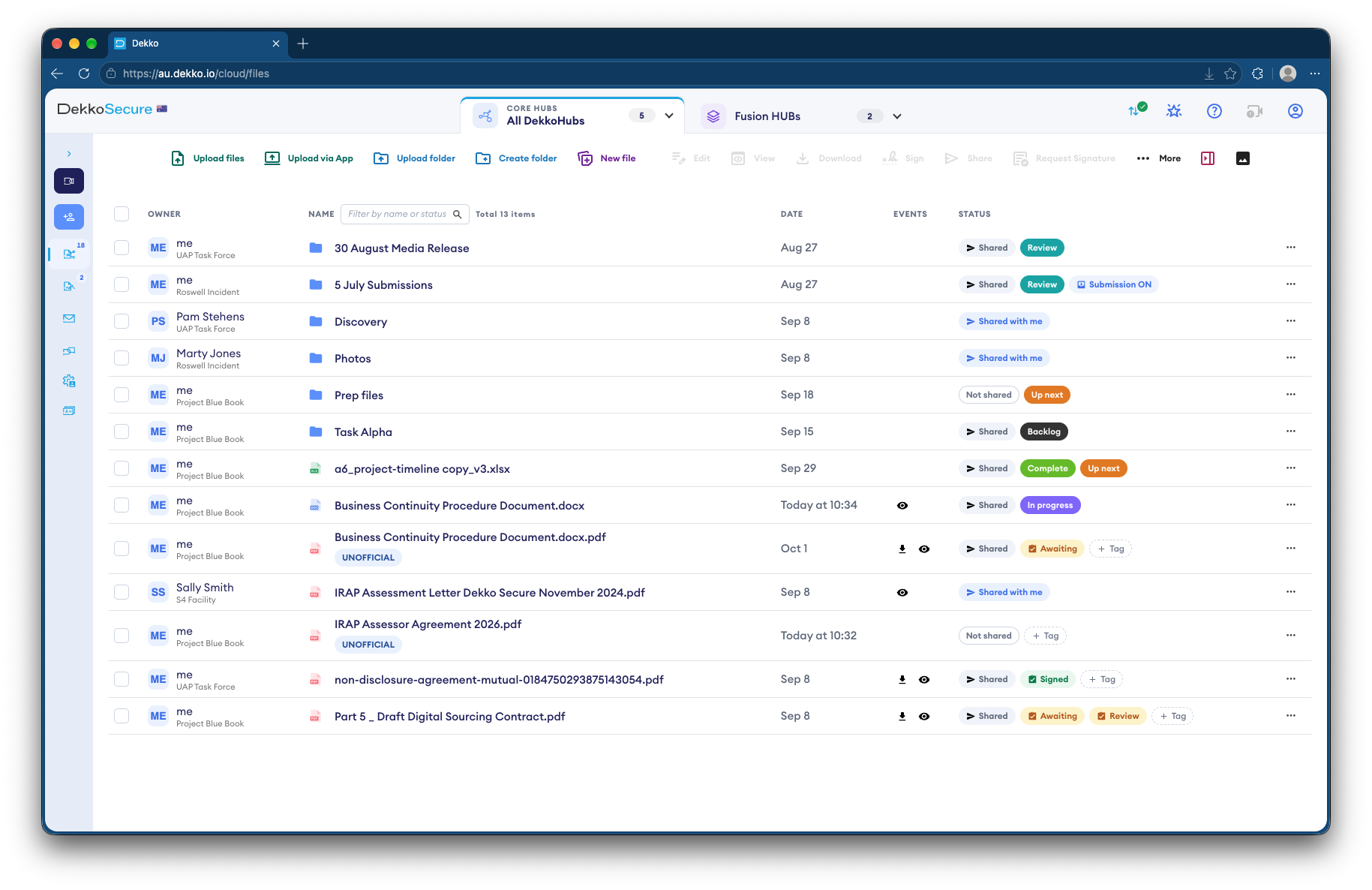
- QR code on letters
- Customers upload from their phone.
- No account needed
- Through a submission link.
- Status tags
- Where each registration is up to.
- To the distributor
- Confirmed forms sent in one step.
Why medical confirmation forms go missing
A life-support registration protects a customer whose medical equipment needs power, and it depends on a form from their doctor. Forms arrive by email, post and fax, carry medical details, and have to reach the distributor too.
Today
- Forms emailed or faxed in
- Medical details in shared inboxes
- Registration status tracked by hand
- Forms re-sent to the distributor
With DekkoCORE
- Customers upload through a link or QR code
- Forms land in one folder
- Status tags on each registration
- Confirmed forms sent to the distributor
How it works in DekkoCORE
One registration, from your letter to the distributor.
Step 1
Open a submission folder
Turn on submissions for a folder, and get its link.
- Submission link
Step 2
Print the QR code
Print the link's QR code on your letter, so customers can upload from their phone.
- QR code
Step 3
The customer uploads the form
Customers upload the completed form without an account, and can't see anything else in the folder.
- Submission link
Step 4
Track each registration
Status tags show which forms are waiting and which are confirmed.
- Status tags
Step 5
Send to the distributor
Mass share sends confirmed forms to the distributor's team in one step.
- Mass share
Who gets what access
A typical registration. You can change or remove anyone's access at any time.
Registrations team
Full permissions
Handles each registration.
Customer
Submission link
Uploads their form, and sees nothing else.
Distributor's team
Download
Receives confirmed forms.
Everyone else
Not shared
Can't see medical forms.
The bars show a permission level, from Listing only (one bar) to Full permissions (seven).
Questions
Do customers need an account?
No. The submission link lets them upload without one, and they can't see anything else in the folder.
Is the submission link anonymous?
No. The link records the sender's IP address and approximate location, which your team can see.
Can we put the link on printed letters?
Yes. Each submission link has a QR code you can print, so customers can upload from their phone.
What is Mass share?
Mass share sends the same file or folder to many people in one step, instead of sharing with each person separately.
Can telcos use this for medical priority applications?
Yes. The same submission link and status tags work for a telco's medical priority applications.
Where are forms stored?
DekkoCORE is hosted in-country, in Australia, the United States or Canada.
Collecting medical confirmation forms?
Tell us how forms reach you today. We'll show you the same registration process in DekkoCORE.