

Councils · Health services · Emergency responders
Share the register with responders for the emergency, and only for the emergency.
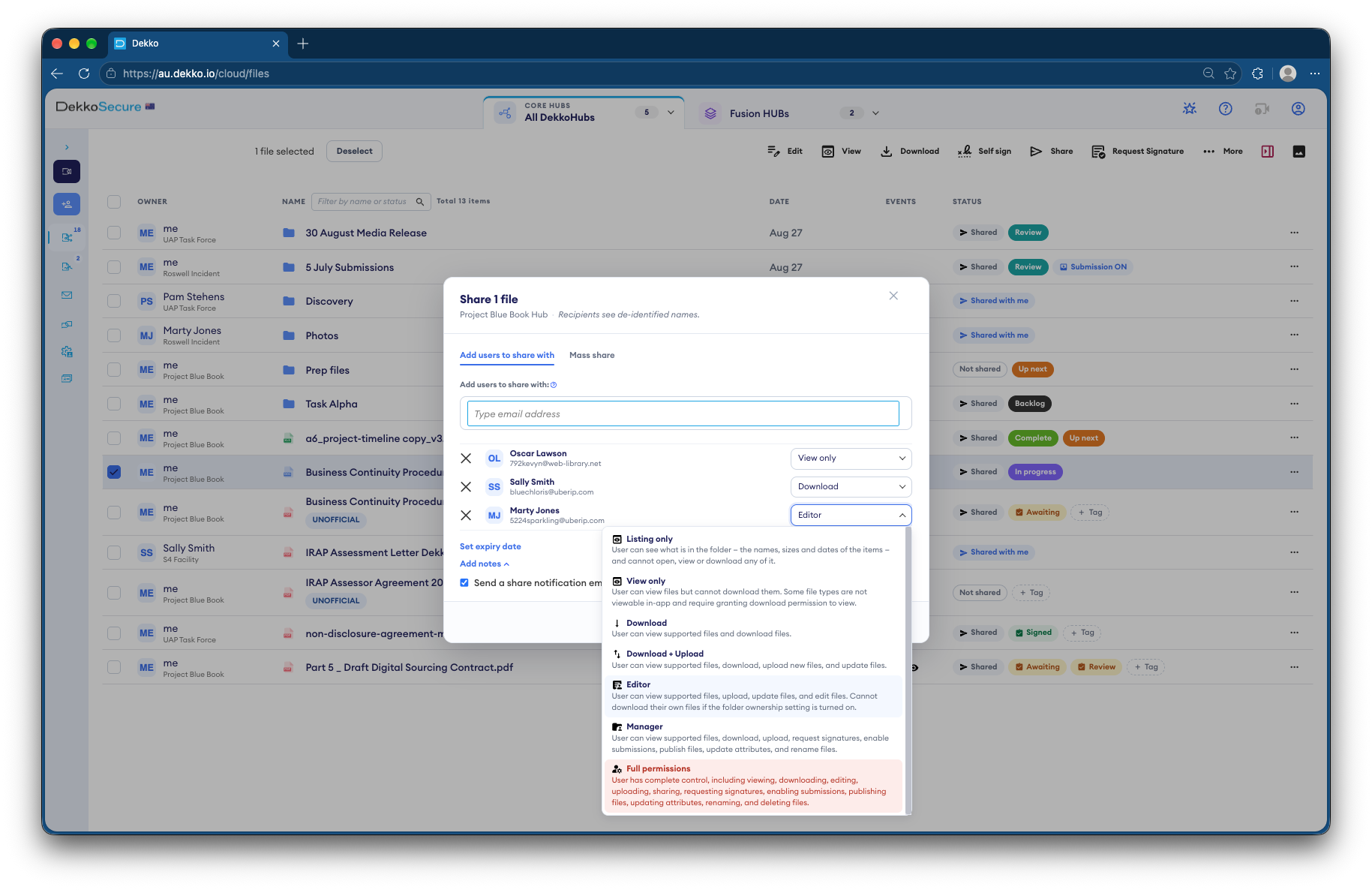
Councils and health services share their vulnerable persons register with responders at View only for the length of an event. Responders join through a link, and access ends when the event does.
- Responders join fast
- Through a join link to the event's Hub.
- View only
- Read the register, with nothing to download.
- Limited to the event
- Access ends when the event ends.
- Proof
- Who viewed the register, and when.
Why registers are hard to share in a disaster
Responders need to know who can't leave on their own, but the register holds health and address details for some of the most vulnerable people in a community.
Today
- Registers emailed as spreadsheets
- Copies left on responders' devices
- Access never removed after the event
- No record of who looked
With DekkoCORE
- One register in a Hub for the event
- Responders read it View only
- Access ends after the event
- Every view recorded
How it works in DekkoCORE
One emergency, from the first alert to stand-down.
Step 1
Set up the event's Hub
Create a Hub for the emergency and add the current register.
- Hubs
Step 2
Let responders join
Send responders a join link so they can get into the Hub quickly.
- Join links
Step 3
Share the register View only
Mass share the register with responders at View only, limited to the event.
- Mass share
- View only
Step 4
Every view is recorded
The audit log shows which responder viewed the register and when.
- Audit log
Step 5
Close it after the event
Remove access when the event ends, and regenerate the join link so it can't be used again.
- Remove access
- Regenerate join link
Who gets what access
A typical event. You can change or remove anyone's access at any time.
Council or health service
Full permissions
Holds the register and decides who sees it.
Emergency management lead
Manager
Adds responders and shares the register.
Responders on the event
View only, for the event
Read the register in the field.
Everyone else
Not shared
Can't see the register is there.
The bars show a permission level, from Listing only (one bar) to Full permissions (seven).
Questions
Do join links expire?
No. A join link works until you regenerate it, so regenerate it when the event ends.
Can responders download the register?
Not with View only. They read it in the browser, on a phone, tablet or laptop.
How quickly can a responder get access?
As soon as they follow the join link, sign in, and you share the register with them.
Can we see who looked at the register?
Yes. The audit log lists every view with the person and the date, and exports as CSV.
What happens after the event?
Remove responders' access and regenerate the join link. Because they had View only access, there are no downloaded copies to chase.
Planning for emergencies?
Tell us how your register reaches responders today. We'll show you the same plan in DekkoCORE, ready before the next event.