

Agriculture departments · Laboratories · Industry bodies
Stand up a secure space for an outbreak quickly, and clear it out at stand-down.
Agriculture departments set up a Hub for the response, bring in labs and industry through a join link, track each property's status with tags, and remove access when the response stands down.
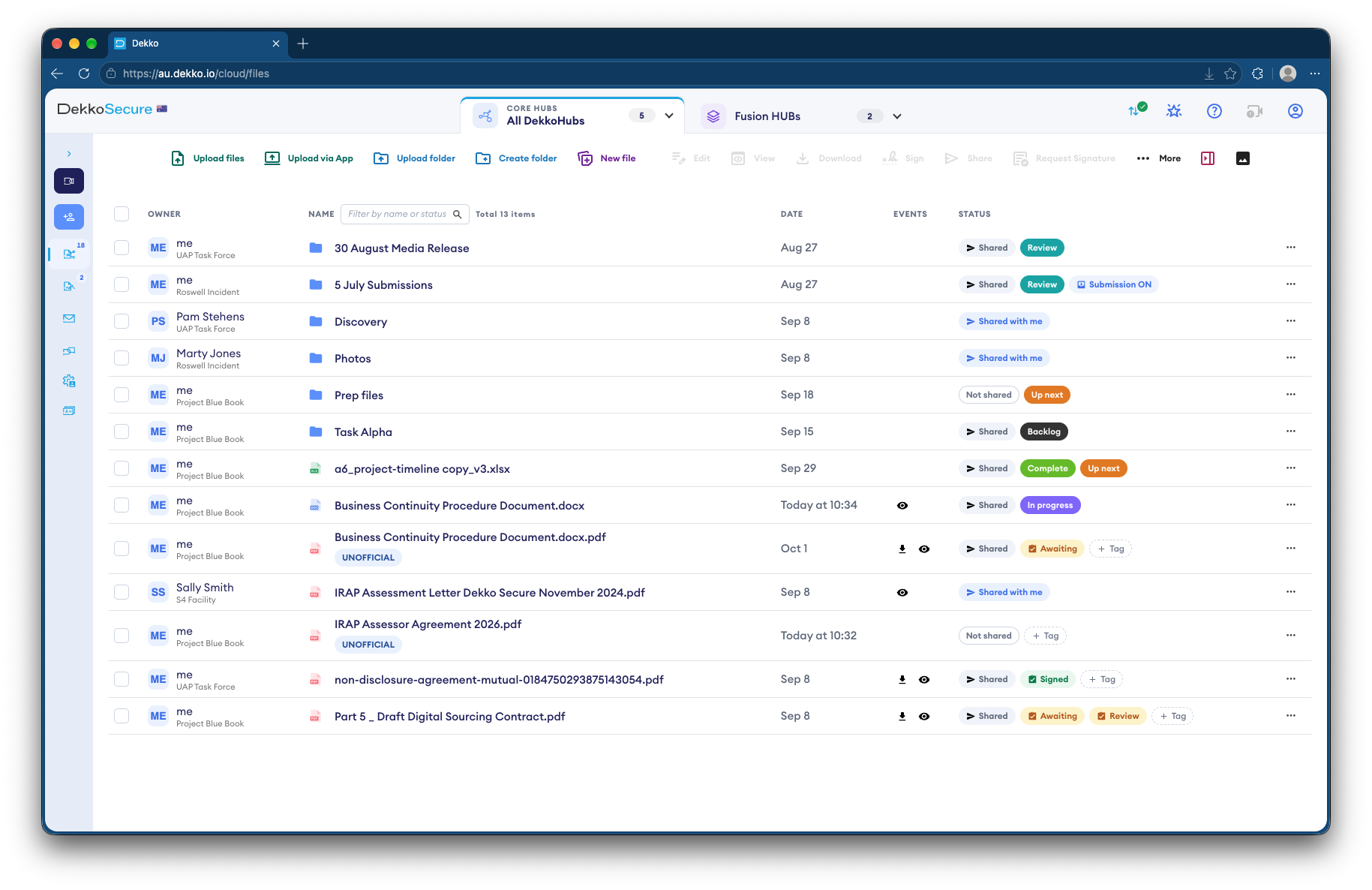
- Quick to stand up
- One Hub for the whole response.
- Partners join
- Labs and industry through a join link.
- Premises status
- Status tags on each property's file.
- Stand-down
- Access cleared when the response ends.
Why outbreak data is so sensitive
During an outbreak, property lists and lab results move fast between government, laboratories and industry, and a leak can cost market access.
Today
- Property lists emailed between agencies
- Lab results in shared inboxes
- Status tracked in separate spreadsheets
- Access left open after stand-down
With DekkoCORE
- One Hub for the whole response
- Lab results uploaded where responders work
- Status tags on each property's file
- Access cleared at stand-down
How it works in DekkoCORE
One response, from the first detection to stand-down.
Step 1
Stand up the Hub
Create a Hub for the response, with folders for properties, lab results and situation reports.
- Hubs
- Hub folders
Step 2
Bring in partners
Send laboratories and industry bodies a join link to the Hub.
- Join links
Step 3
Track each property
Status tags on each property's file show where it's up to.
- Status tags
Step 4
Meet daily
Run response meetings securely, with group chat.
- Meetings
Step 5
Clear out at stand-down
Remove partners' access when the response ends, and regenerate the join link.
- Remove access
- Regenerate join link
Who gets what access
A typical response. You can change or remove anyone's access at any time.
Lead agency
Full permissions
Runs the response and holds the record.
Laboratories
Download + Upload
Add results and read sample requests.
Industry liaison
View only
Read situation reports.
Other agencies
View only or Download
As the response needs.
The bars show a permission level, from Listing only (one bar) to Full permissions (seven).
Questions
How fast can we set up a response Hub?
A Hub can be created and shared as soon as the response starts, and partners join through a link.
Do join links expire?
No. A join link works until you regenerate it, so regenerate it at stand-down.
Can industry see the property lists?
Only if you share them. Access is set per folder, so industry can see situation reports and nothing else.
What happens at stand-down?
Remove partners' access and regenerate the join link. The record of the response stays with the lead agency.
Can labs upload large result files?
Yes. There's no file size limit unless your tenancy sets one.
Preparing for an outbreak?
Tell us who needs to share what during a response. We'll show you the same response Hub in DekkoCORE, ready before you need it.