

Merging parties · Clean teams · Competition lawyers
Share competitively sensitive data with the clean team, and show nobody else saw it.
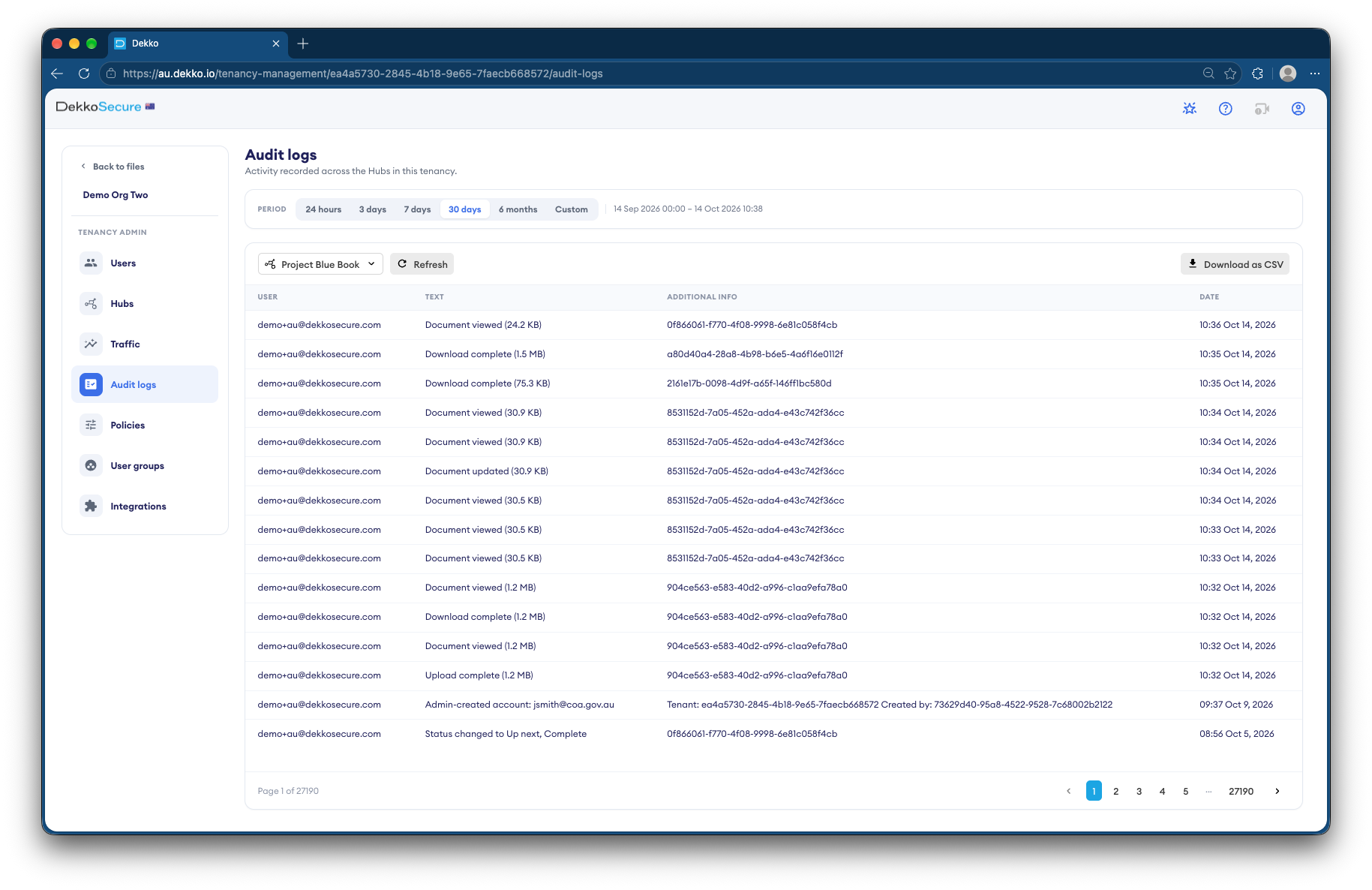
Merging parties put competitively sensitive data where only the clean team can open it. Everyone else on the deal sees the documents exist but not what's in them, and the audit log shows who viewed what.
- Clean team group
- Only its members can open the data.
- Listing only for others
- They see a document exists, not its contents.
- View only
- The clean team reads without downloading.
- Compliance record
- Who viewed what, and when.
Why pre-completion data sharing is risky
Until a merger completes, the parties are still competitors. Sharing pricing, customer or strategy data too widely can breach competition law, and Australia's mandatory merger regime applies from 1 January 2026.
Today
- Sensitive data emailed to the deal team
- No clear line between the clean team and the rest
- Copies downloaded to laptops
- No record of who saw what
With DekkoCORE
- A clean team group that alone can open the data
- Everyone else sees Listing only
- View only, with nothing to download
- An audit log for the competition lawyers
How it works in DekkoCORE
One transaction, from signing to completion.
Step 1
Set up the clean team
Create a group for the clean team members your lawyers have agreed.
- Groups
Step 2
Load the sensitive data
Put competitively sensitive data in a folder shared only with the clean team.
- Hub folders
Step 3
Give everyone else Listing only
The wider deal team sees the documents exist, not what's in them.
- Listing only
Step 4
The clean team reads View only
Clean team members read the data in the browser, with nothing to download.
- View only
Step 5
Close at completion
Set access to end at completion, and keep the audit log as your record.
- Access expiry
- Audit log
Who gets what access
A typical transaction. You can change or remove anyone's access at any time.
Disclosing party's deal lead
Full permissions
Controls the data and the clean team.
Clean team
View only
Reads the competitively sensitive data.
Wider deal team
Listing only
Sees documents exist, not their contents.
Competition lawyers
View only
Review the data and the record.
The bars show a permission level, from Listing only (one bar) to Full permissions (seven).
Questions
What does Listing only show?
A document's name, size and date, and nothing else. The person can't open, view or download it.
Can the clean team download the data?
Not with View only. They read it in the browser, and their access ends on the date you set.
How do we show the clean team rules were followed?
The audit log lists every view and download with the person and the date, and exports as CSV for your lawyers.
Does DekkoCORE make us compliant with merger law?
No software makes you compliant on its own. DekkoCORE enforces the access your lawyers set, and keeps a record of it.
What happens at completion?
Access ends on the expiry date you set, or when you remove it.
Setting up a clean team?
Tell us who's in the clean team and what they need to see. We'll show you the same set-up in DekkoCORE.