

Lawyers · Witnesses · Signatories
Witness affidavits over video, and sign them in the same place.
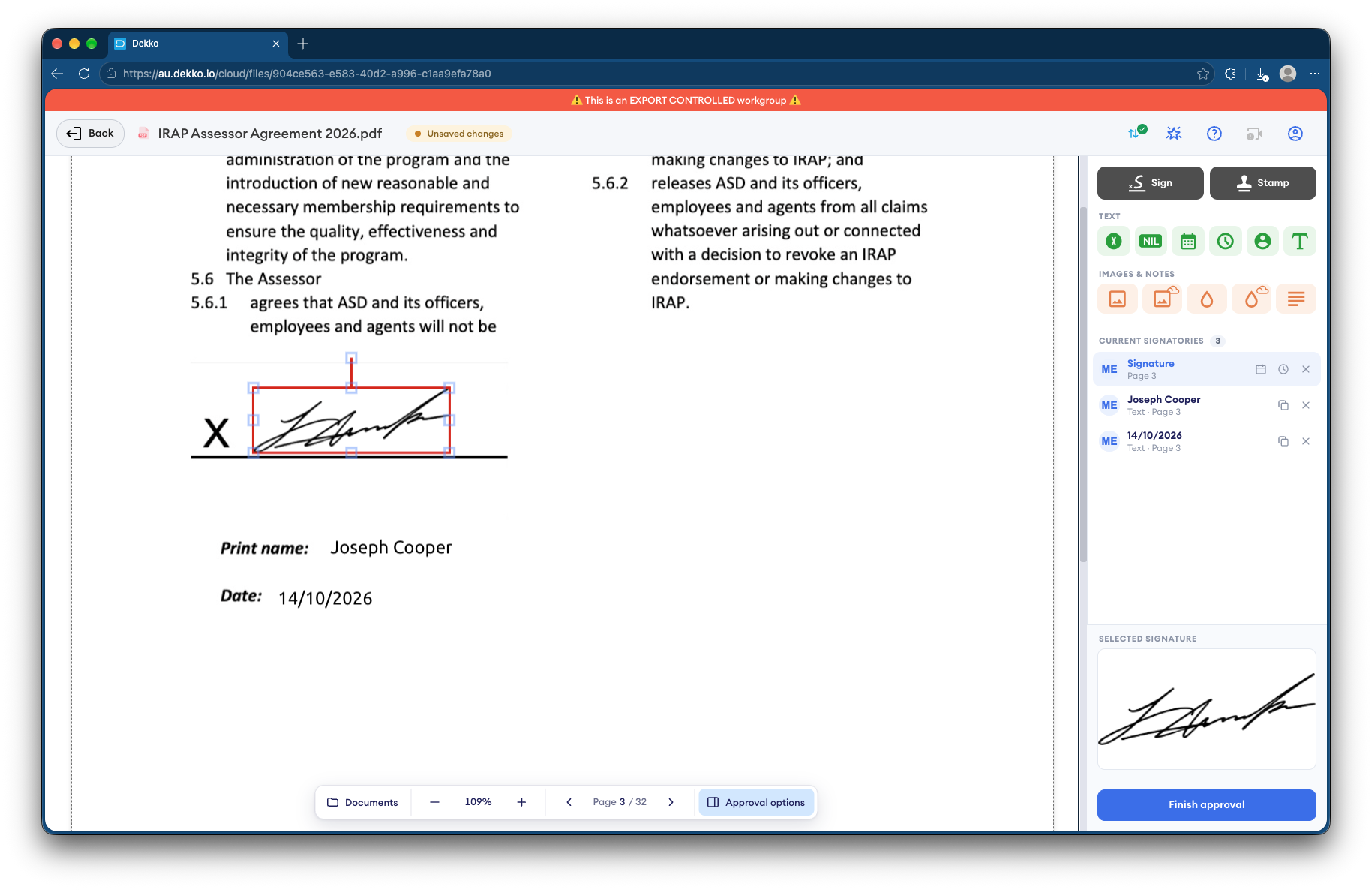
Where your jurisdiction allows remote witnessing, the signatory and witness meet in a secure meeting, sign and stamp the document in the browser, and keep a recording of the session.
- Witnessed over video
- In a secure meeting, not a consumer app.
- Signature and stamp
- Both applied to the PDF in the browser.
- Recording
- The session recorded to your vault.
- Checking a copy
- The file validator shows if it's unchanged.
Why remote witnessing is awkward
Several Australian jurisdictions now allow some documents to be witnessed over video, each with its own conditions.
Today
- Witnessed on a consumer video app
- Signed pages photographed or scanned back
- Several copies of one document in circulation
- No record of the session
With DekkoCORE
- Witnessed in a secure meeting
- Signed and stamped in the browser
- One signed version, checkable later
- The session recorded to your vault
How it works in DekkoCORE
One affidavit, from upload to a signed copy anyone can check.
Step 1
Upload the document
Add the affidavit or declaration to the matter's folder.
- Hub folders
Step 2
Meet over video
The signatory and the witness join a secure meeting, both signed in.
- Meetings
Step 3
Sign and witness
Request signatures from the signatory and the witness. The witness can add a stamp.
- Request signature
- Stamp
Step 4
Keep a recording
Record the session to your vault, as a record of how it was witnessed.
- Meeting recording
Step 5
Check any copy later
Anyone given a copy can check it with DekkoSecure's file validator.
- File verification
Who gets what access
A typical document. You can change or remove anyone's access at any time.
Lawyer or firm
Full permissions
Prepares the document and holds the record.
Signatory
Signature request
Signs in the browser during the meeting.
Witness
Signature request
Signs and stamps as witness.
Receiving party
Download
Gets the signed document.
The bars show a permission level, from Listing only (one bar) to Full permissions (seven).
Questions
Is remote witnessing allowed where we are?
It depends on the document and the jurisdiction. Several Australian jurisdictions allow some documents to be witnessed over video, each with its own conditions. Check the rules that apply before you rely on it.
Are signatures certificate-based digital signatures?
No. A signature in DekkoCORE is a signature mark applied to the PDF, with the signing recorded against the file.
Can we play the meeting recording in DekkoCORE?
Recordings are saved to your vault as WebM video files. Download one to play it in a web browser or media player.
Do the signatory and witness need accounts?
Yes. Everyone in a meeting signs in, which ties each person to their own account.
How does someone check the signed document later?
They add their copy to DekkoSecure's file validator. A match shows where it came from, and a copy that's been changed won't match.
Witnessing documents remotely?
Tell us how your documents are signed and witnessed today. We'll show you the same session in DekkoCORE.