

Royal commissions · Public inquiries · Witnesses
Take confidential submissions, receive large productions, and publish only what's been redacted.
Inquiries take confidential submissions through a secure link, give each summons recipient a folder to produce documents into, and redact what's published. Witnesses see staff under aliases.
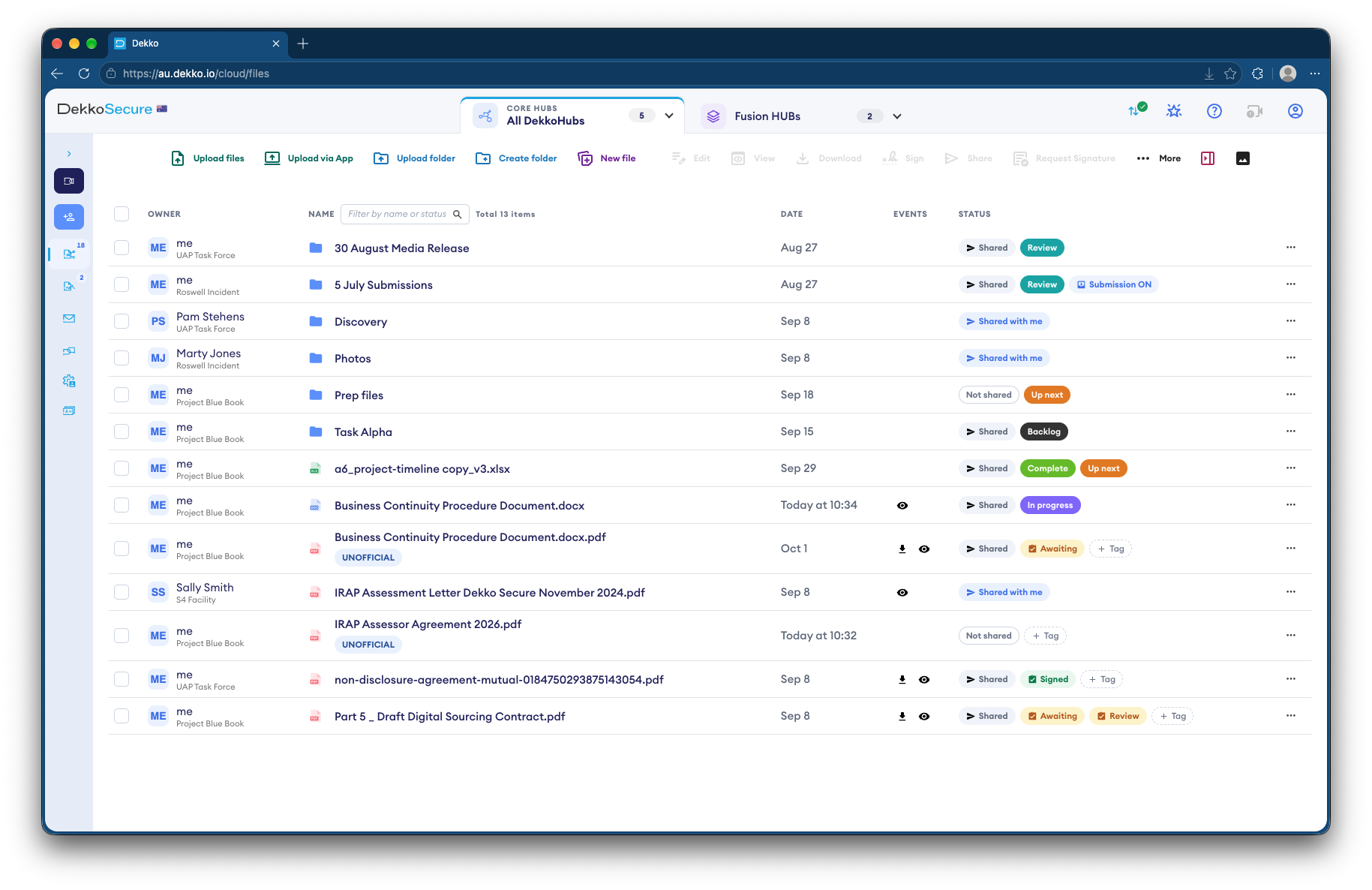
- Confidential submissions
- Through a secure link or QR code.
- Productions
- Each summons recipient uploads to its own folder.
- Redaction
- Before anything is published.
- Records
- Kept in a central backup account.
Why inquiries are hard to run securely
An inquiry hears from survivors, witnesses and organizations, often in confidence, and receives productions far too large for email.
Today
- Submissions by email and post
- Productions on drives and discs
- Redaction in a separate tool before publishing
- Staff names on every exchange
With DekkoCORE
- Submissions through a secure link
- Productions uploaded to each recipient's folder
- Redaction done where the documents are
- Witnesses see aliases, not staff names
How it works in DekkoCORE
One inquiry, from opening submissions to publishing evidence.
Step 1
Open submissions
Publish a submission link and QR code. People send a statement and files with no account.
- Submission link
- QR code
Step 2
Receive productions
Send each summons recipient a guest link to upload into its own folder. Bulk productions can go up with DekkoDrive.
- Guest link uploads
- DekkoDrive
Step 3
Keep staff names out
With de-identified sharing on, witnesses and parties see an alias for each staff member.
- De-identified sharing
Step 4
Redact before publishing
Redact personal details from PDFs before they go on the inquiry's website.
- Redaction
Step 5
Keep the record
A central backup account keeps the inquiry's records for the long term.
- Central Backup Account
Who gets what access
A typical inquiry. You can change or remove anyone's access at any time.
Inquiry staff
Full permissions
Run submissions, productions and publication.
Counsel assisting
Manager
Review material and share it with witnesses.
Summons recipients
Guest link with uploads
Produce documents into their own folder.
Survivors and the public
Submission link
Send submissions, and see nothing else.
The bars show a permission level, from Listing only (one bar) to Full permissions (seven).
Questions
Are submissions anonymous?
No. A submission link records each sender's IP address and approximate location, which inquiry staff can see. Say so on the page that publishes the link.
How does a guest link work?
It lets someone without an account upload to one folder. Anyone holding the link can use it, so send it only to the person it's for. Guest links last up to a month and can be renewed.
Can large productions be uploaded?
Yes. There's no file size limit unless your tenancy sets one, and DekkoDrive for Windows can upload whole folders.
Does redaction work on scanned pages?
Redaction works on PDFs. A search finds words in a PDF's text, so scanned pages without a text layer need to be redacted by hand.
Who keeps the inquiry's records afterwards?
A central backup account keeps a copy of the records for your organization, without giving DekkoSecure access to them.
Setting up an inquiry?
Tell us how submissions and productions will reach you. We'll show you the same set-up in DekkoCORE, ready before your first hearing.