

Airports · Ports · Radioactive sources · Security-sensitive chemicals
Share your site's security plan with the people who need it, and no one else.
Airports, ports and holders of radioactive sources or security-sensitive chemicals keep security plans that regulators assess and contractors work to. In DekkoCORE, each plan carries its classification, contractors read it at View only until a set date, and audit events can flow to your security team.
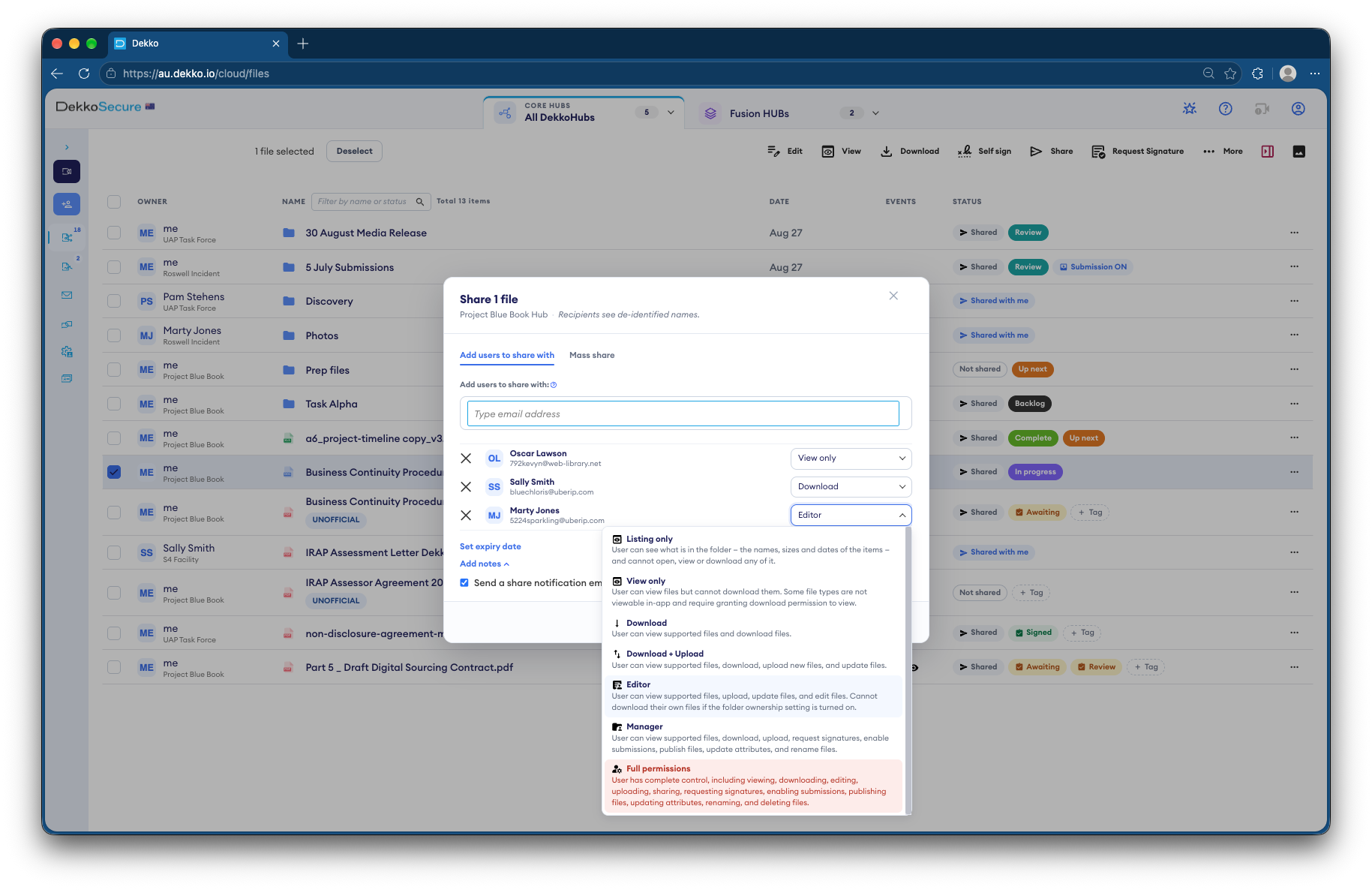
- Classification
- Each plan carries its marking.
- Contractors
- View only, until a set date.
- Region protection
- Hubs open only from networks you allow.
- Your SOC
- Audit events forwarded to Microsoft Sentinel.
Why security plans are hard to share safely
A security plan describes exactly how a site is protected. Regulators need to assess it and contractors need parts of it, but a copy in the wrong hands is a guide to getting in.
Today
- Plans emailed as attachments
- Contractors keep copies after the job
- Markings lost when files are forwarded
- No record of who read them
With DekkoCORE
- Each plan marked with its classification
- Contractors read at View only
- Access ends on the date you set
- Every view recorded and sent to your SOC
How it works in DekkoCORE
One site's security plan, from assessment to each contractor's job.
Step 1
Keep the plan in a Hub
Store the plan and its attachments in a Hub for the site.
- Hubs
Step 2
Mark it
Choose the classification as you share, such as OFFICIAL: Sensitive.
- Classification labels
Step 3
Share with the regulator
Invite the regulator's assessors to review the plan.
- External members
Step 4
Give contractors View only
Contractors read the parts they need in the browser, and their access ends on the date you set.
- View only
- Access expiry
Step 5
Keep your SOC informed
Hubs open only from the networks you allow, and audit events flow to Microsoft Sentinel.
- Region protection
- Sentinel forwarding
Who gets what access
A typical site. You can change or remove anyone's access at any time.
Security manager
Full permissions
Owns the plan and its updates.
Regulator's assessors
Download
Assess the plan.
Contractors
View only, with an expiry date
Read the parts they need for the job.
Security operations center
Audit events in Sentinel
Sees activity without opening files.
The bars show a permission level, from Listing only (one bar) to Full permissions (seven).
Questions
Can contractors download the plan?
Not with View only. They read it in the browser, and their access ends on the date you set.
Does Region protection block access from overseas?
It's an IP-based allow-list for each Hub, a first line of defense alongside sign-in. Someone using a VPN can appear to be somewhere else, so it doesn't replace careful sharing.
Which classifications can we apply?
OFFICIAL, OFFICIAL: Sensitive and PROTECTED.
What reaches Microsoft Sentinel?
Around 30 kinds of audit event, such as views, downloads and uploads, forwarded through Log Analytics.
Can View only stop someone photographing the screen?
No software can fully stop that. DekkoCORE records exactly who viewed the plan and when.
Where are plans stored?
DekkoCORE is hosted in-country, in Australia, the United States or Canada.
Sharing a security plan?
Tell us who needs to see your plan today. We'll show you the same sharing in DekkoCORE.