

Police · Prosecutors · Defense lawyers
Share vulnerable witness recordings with the defense, without handing over a copy.
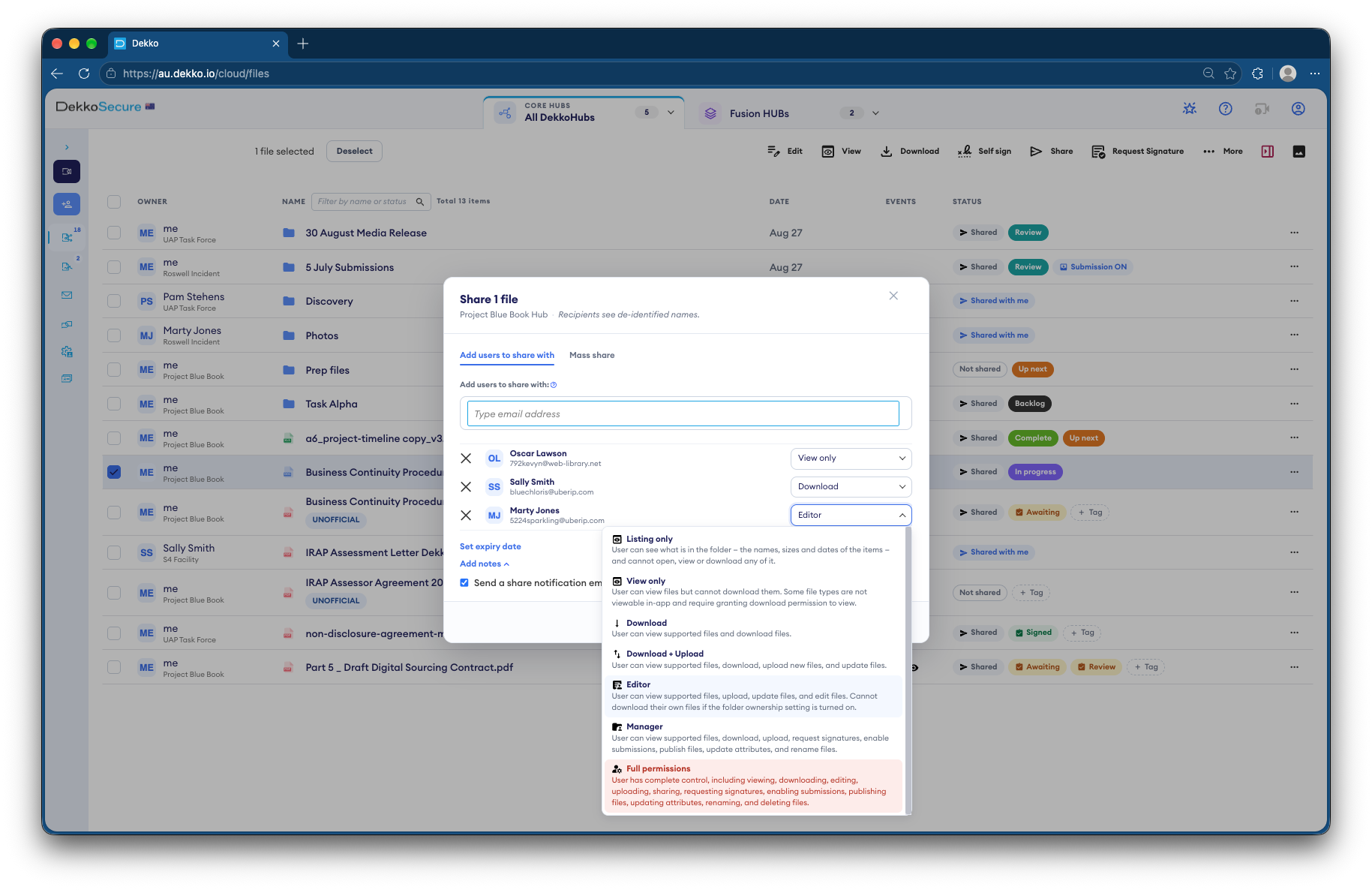
Police and prosecutors share a child's or complainant's recorded interview with defense lawyers at View only. It plays in the browser, there's nothing to download, and access ends on the date you set.
- Who it's for
- Specialist police units, prosecutors and defense lawyers.
- How the defense watches
- View only, in the browser. No download button.
- When access ends
- On the date you set, or when you remove it.
- Proof
- Every view is recorded against the file.
Why these recordings are hard to share
The defense must be able to review the recording, but several Australian jurisdictions limit who may hold a copy. Every extra copy is a risk to the witness.
Today
- Discs or drives handed over on conditions
- Lawyers travel in for viewing appointments
- A copy can't be taken back once it's out
- Hard to show who has watched it
With DekkoCORE
- The recording plays in the browser, View only
- Lawyers watch from their own office
- No download button, so there's no copy to take back
- Every view recorded, with the person and the date
How it works in DekkoCORE
One recording, from upload to the end of the matter.
Step 1
Upload the recording
Add the interview to the matter's folder in a Hub. Long recordings go up as they are.
- Hub folders
- No file size limit
Step 2
Share it View only
Share it with the named defense lawyers, and set their access to end on a date.
- View only
- Access expiry
Step 3
The lawyers watch it
They sign in and play it in the browser. There's nothing to download.
- Media player
Step 4
Every view is recorded
The file lists who viewed it and when. The audit log exports as CSV.
- File history
- Audit log
Step 5
Access ends on its own
On the expiry date, the defense's access ends. The recording stays with you.
- Access expiry
Who gets what access
A typical matter. You can change or remove anyone's access at any time.
Investigating unit
Full permissions
Holds the original recording.
Prosecutor
Manager
Shares it with the defense and counsel.
Defense lawyers on the matter
View only, until a set date
Watch it without holding a copy.
Anyone else
Not shared
Can't see the recording is there.
The bars show a permission level, from Listing only (one bar) to Full permissions (seven).
Questions
Can defense lawyers download a recording shared View only?
No. View only plays the recording in DekkoCORE's media player, which has no download button. Download is a separate access level that you would have to choose.
Can View only stop someone filming the screen?
No software can fully stop a screen being filmed. DekkoCORE records exactly who viewed the recording and when, which narrows down who could have made a copy.
How do we show who watched the recording?
Each file has its own history of views. The Hub's audit log lists every view, download and upload with the date and the person, and exports as CSV.
What happens to access when the matter ends?
If you set an expiry date when you share, the defense's access ends automatically on that date. You can also remove it at any time. The recording itself stays with you.
Do defense lawyers need an account?
Yes. You share with named lawyers, who sign in to watch. That's what lets DekkoCORE record each view against a person.
Where are the recordings stored?
DekkoCORE is hosted in-country, in Australia, the United States or Canada.
Disclosing recorded interviews to the defense?
Tell us how recordings reach defense lawyers today. We'll walk you through the same steps in DekkoCORE, with your own access levels and expiry dates.