

Aged care providers · Disability providers · Families
Directives signed, families kept informed, incident reports tracked.
Providers have advance care directives and service agreements signed in the browser by the resident or their guardian, share documents with families through links that expire, and track serious-incident reports with status tags.
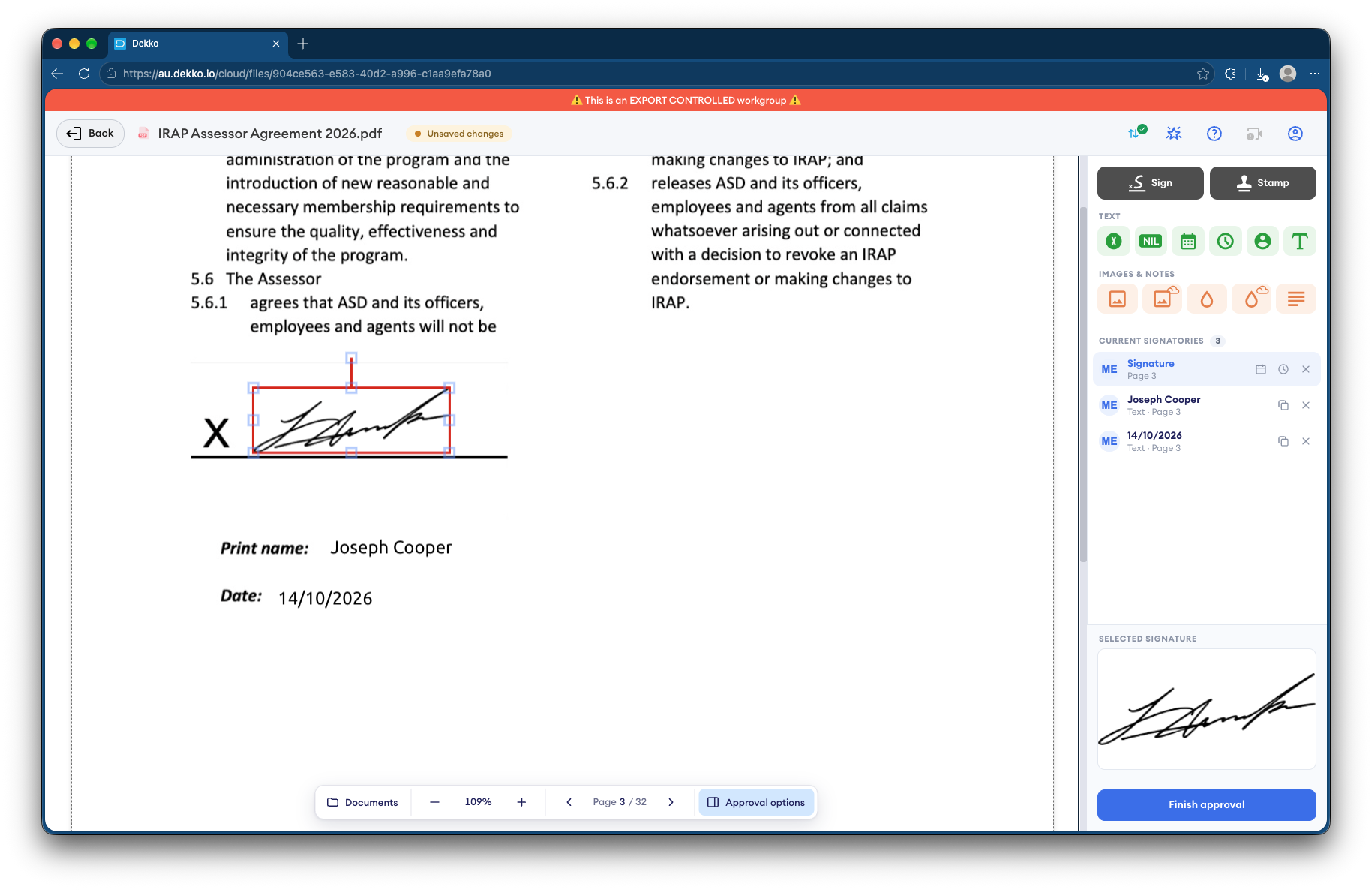
- Directives and agreements
- Signed by the resident or their guardian.
- Families
- Documents through a link that expires.
- Incident reports
- Status tags show each report's stage.
- Signatures on file
- Recorded against each document.
Why care paperwork is hard to manage
Providers handle health directives, agreements and incident reports for residents and participants, with families and guardians often living far away.
Today
- Directives printed, signed and scanned
- Families sent documents by email
- Incident reports tracked in spreadsheets
- Guardians chased for signatures
With DekkoCORE
- Directives signed in the browser
- Families get a link that expires
- Status tags on each incident report
- A signature request any guardian can answer
How it works in DekkoCORE
One resident's paperwork, from the directive to an incident report.
Step 1
Keep a folder per resident
Each resident or participant has their own folder.
- Hub folders
Step 2
Get directives signed
Request a signature from the resident, or from any one of their guardians.
- Request signature
- Signer groups
Step 3
Share with families
Send a family member a guest link to the documents they need, which expires.
- Guest links
Step 4
Track incident reports
Status tags show where each serious-incident report is up to.
- Status tags
Step 5
Keep the record
Signatures and staff views are recorded against each document.
- File history
Who gets what access
A typical resident. You can change or remove anyone's access at any time.
Provider administration
Full permissions
Holds each resident's folder.
Care and clinical staff
Editor
Keep care documents up to date.
Resident or guardian
Signature request
Signs directives and agreements.
Family members
Guest link
Read and download the documents shared with them.
The bars show a permission level, from Listing only (one bar) to Full permissions (seven).
Questions
Can any guardian sign?
Yes. Request the signature from a group of guardians, and a signature from any one of them completes it.
How secure is a family member's link?
Anyone holding a guest link can use it, and downloads through it aren't logged, so send it only to the family member it's for. Guest links last up to a month.
Are signatures certificate-based digital signatures?
No. A signature in DekkoCORE is a signature mark applied to the PDF, with the signing recorded against the file.
Do status tags replace our incident management system?
No. They show each report's stage in DekkoCORE, alongside the system you already use.
Where is residents' information stored?
DekkoCORE is hosted in-country, in Australia, the United States or Canada.
Running an aged care or disability service?
Tell us how directives, agreements and incident reports move today. We'll show you the same paperwork in DekkoCORE.