

Banks · Hardship teams · Vulnerable customer teams
Collect evidence of financial abuse without sending it through the joint account.
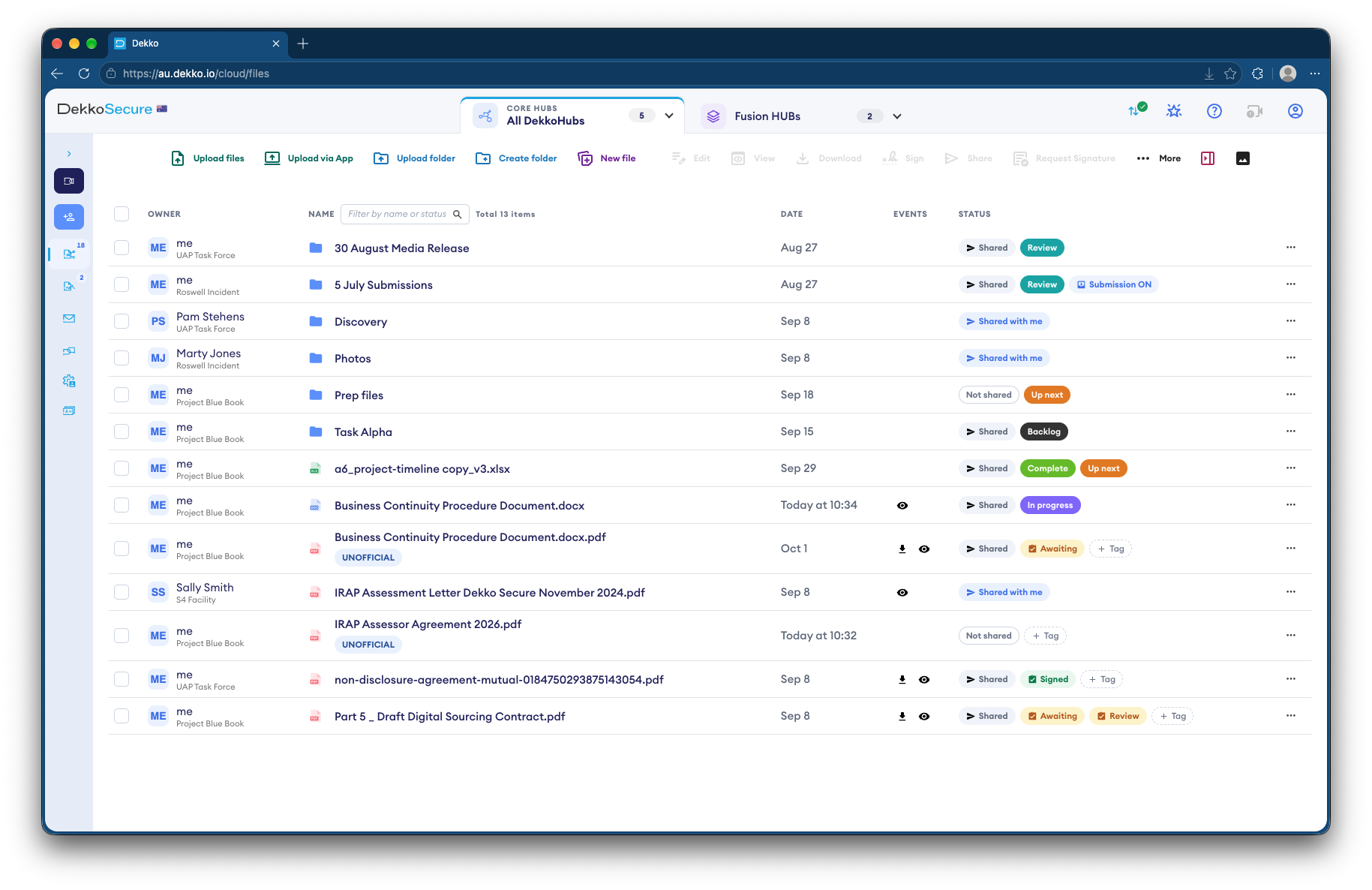
Hardship teams give a customer a submission link that isn't tied to the joint account's email, app or address. They upload evidence with no account, and only the specialist team can open it.
- A separate channel
- A link not tied to the joint account.
- No account needed
- Nothing to log in to or read back.
- View only inside the bank
- Specialists read it without copies.
- Specialist team only
- Access limited to named staff.
Why financial abuse evidence is hard to collect
When the abuser is a joint account holder, the bank's usual channels, such as the account's email, app and mailing address, may reach them first.
Today
- Evidence requested through account channels
- Letters sent to a shared address
- Statements emailed to shared inboxes
- Copies spread across teams
With DekkoCORE
- A submission link sent another way
- Nothing to read back after sending
- One folder for the specialist team
- Read View only inside the bank
How it works in DekkoCORE
One customer, from the first conversation to the bank's decision.
Step 1
Open a restricted folder
Create a folder only the specialist team can open.
- Hub folders
Step 2
Give the customer a link
Send a submission link or QR code through a safe channel you've agreed with them.
- Submission link
- QR code
Step 3
They send the evidence
They upload statements, screenshots and documents with no account, and see nothing afterwards.
- Statement field
Step 4
Share it inside the bank
Share it with colleagues who need it at View only.
- View only
Step 5
Keep the record
Every view is recorded, so you know who has seen the evidence.
- Audit log
Who gets what access
A typical case. You can change or remove anyone's access at any time.
Specialist team
Full permissions
Holds the customer's evidence.
Colleagues who need it
View only
Read it without keeping copies.
Customer
Submission link
Sends evidence, and sees nothing afterwards.
Joint account holder
Not shared
Can't see the folder or the link.
The bars show a permission level, from Listing only (one bar) to Full permissions (seven).
Questions
Does the joint account holder see anything?
No. The folder isn't linked to the account, and the link goes through a channel you've agreed with the customer.
Is the submission anonymous?
No. The link records the sender's IP address and approximate location, which your specialist team can see.
What if the link is forwarded?
Anyone with the link can use it to send files, but nobody can use it to see what's been sent. Disable it or set an expiry date once you have what you need.
Is anything left on the customer's phone?
No account or app holds the evidence. The link itself may stay in their browser history or messages, so plan with them how they'll receive it.
Can staff download the evidence?
Not if you share it View only. They read it in the browser.
Supporting customers experiencing financial abuse?
Tell us how your team collects evidence today. We'll show you a separate, safer channel in DekkoCORE.