

Banks · Telcos · Fraud and scam teams
Pass scam cases between banks and telcos quickly, with every hand-off on the record.
Fraud teams at banks and telcos share scam case files and victim statements in a Hub they all belong to. Status tags show each case's stage, read receipts confirm hand-offs, and audit events can flow to your SOC through Microsoft Sentinel.
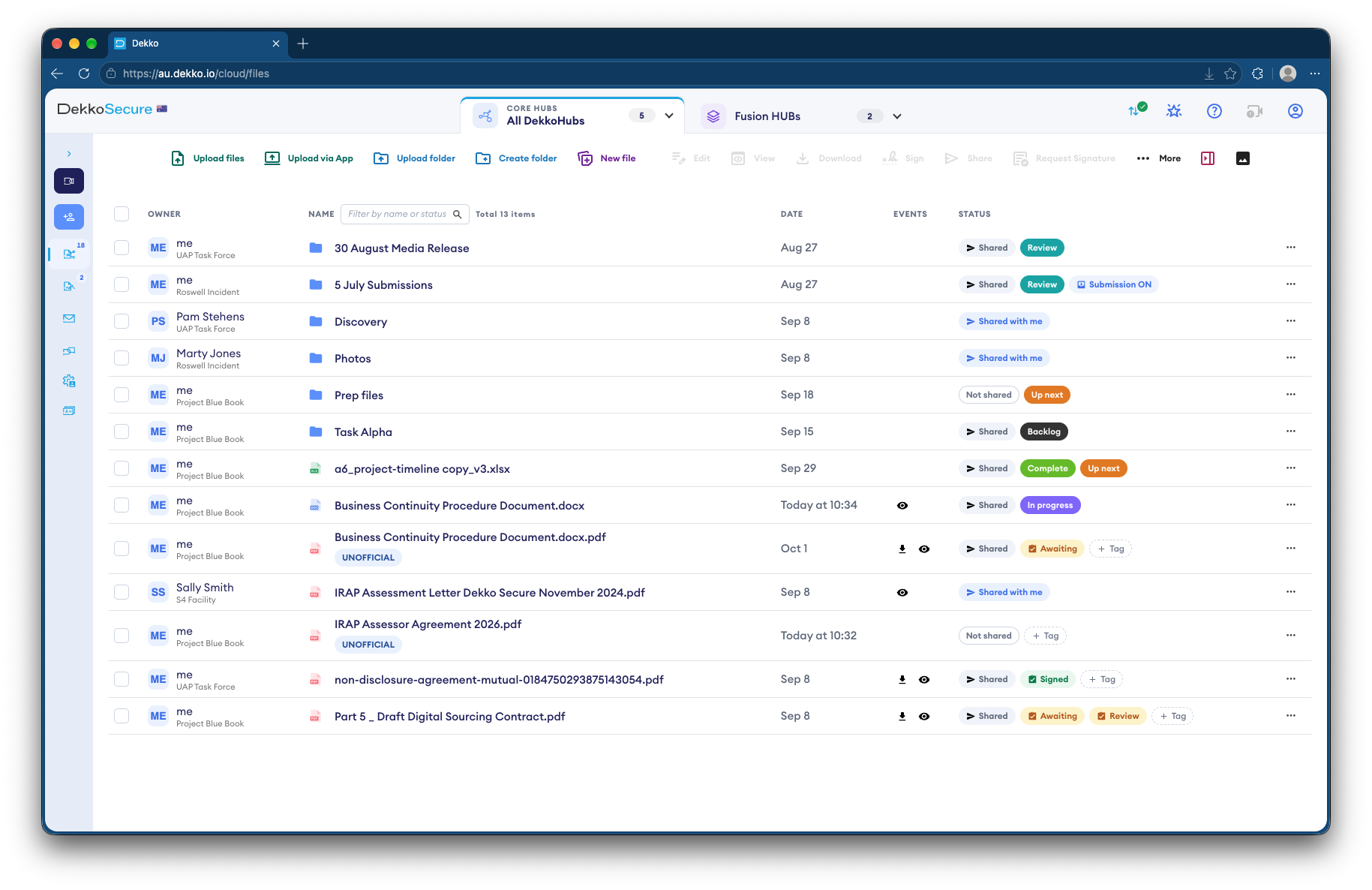
- Cross-organization Hub
- Banks and telcos in one secure space.
- Case stage
- Status tags on each case.
- Hand-offs
- Read receipts confirm each one.
- SOC visibility
- Audit events forwarded to Microsoft Sentinel.
Why scam cases fall between organizations
One scam can involve the victim's bank, the receiving bank and a telco, and Australia's Scams Prevention Framework expects them to act and share information quickly.
Today
- Case details passed by email and phone
- Victim statements forwarded as attachments
- No shared view of a case's stage
- Security teams blind to the exchange
With DekkoCORE
- One Hub shared by every organization
- Victim statements in the case's folder
- Status tags on each case
- Audit events in your SOC's Sentinel
How it works in DekkoCORE
One scam case, from the first report to the last hand-off.
Step 1
Set up the shared Hub
Create a Hub for the exchange and invite each organization's fraud team.
- Hubs
- External members
Step 2
Open a folder per case
Each case gets a folder for the victim's statement and evidence.
- Hub folders
Step 3
Track the stage
Status tags show where each case is up to.
- Status tags
Step 4
Hand off with a receipt
Send each hand-off by secure mail, and read receipts show when it was opened.
- Read receipts
Step 5
Keep the SOC informed
Forward audit events to Microsoft Sentinel, so your security team sees the activity.
- Sentinel forwarding
Who gets what access
A typical case. You can change or remove anyone's access at any time.
Your fraud team
Full permissions
Runs the Hub and its cases.
Partner banks' and telcos' fraud teams
Download + Upload, per case
Add what they know and act on it.
Your security operations center
Audit events in Sentinel
Sees activity without opening files.
Everyone else
Not shared
Can't see the cases are there.
The bars show a permission level, from Listing only (one bar) to Full permissions (seven).
Questions
Can each organization see every case?
Only the cases shared with it. Access is set per case folder.
What reaches Microsoft Sentinel?
Around 30 kinds of audit event, such as views, downloads and uploads, forwarded through Log Analytics.
Do partner organizations need their own tenancy?
No. Their fraud teams join your Hub as external members.
Can victims upload evidence directly?
Yes. Send them a submission link, and they upload screenshots and a statement with no account.
Where is case data stored?
DekkoCORE is hosted in-country, in Australia, the United States or Canada.
Sharing scam cases with other organizations?
Tell us how cases move between your fraud team and partners today. We'll show you the same exchange in DekkoCORE.