

Departments · Records managers · Transition teams
Move records when departments merge or split, and show nothing changed on the way.
Transition teams upload records in bulk with DekkoDrive and organize them in a Fusion HUB with access by group. The index never shows anyone records above their classification ceiling.
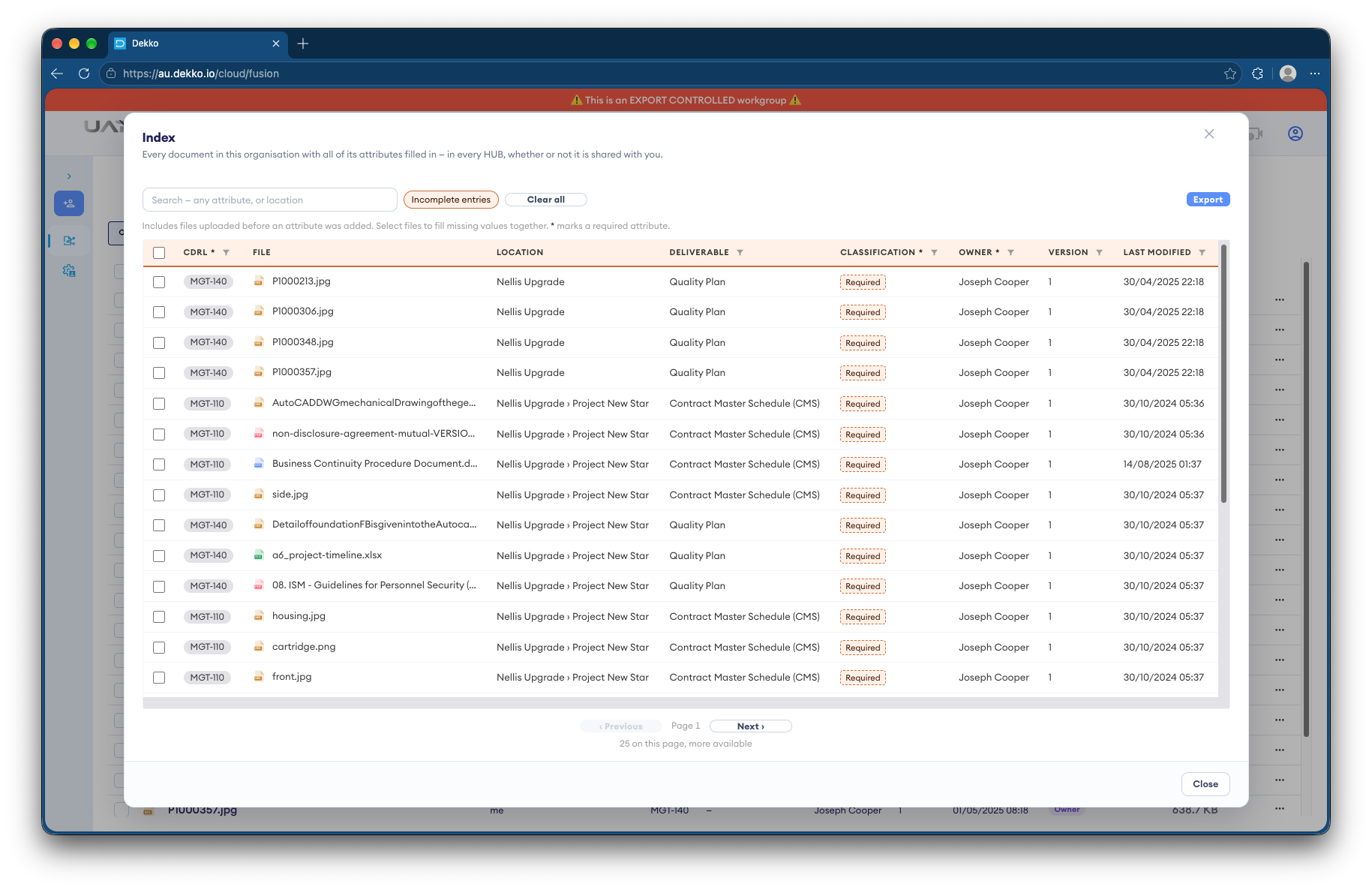
- Bulk transfer
- DekkoDrive uploads whole folders.
- Access by group
- A Fusion HUB, with a group for each team.
- Classification ceilings
- Enforced by the server in the index.
- Integrity
- File verification shows records are unchanged.
Why records transfers are risky
When functions move between departments, years of records have to move with them, intact and only to the people who should see them.
Today
- Records copied to drives and couriered
- Access sorted out after the move
- Classifications checked by hand
- No proof records arrived unchanged
With DekkoCORE
- Bulk upload with DekkoDrive
- Access by group from day one
- Classification ceilings enforced by the server
- File verification for any record
How it works in DekkoCORE
One transfer, from the losing agency to the receiving teams.
Step 1
Upload the records
Transition teams upload records in bulk with DekkoDrive for Windows.
- DekkoDrive
Step 2
Set up groups
Create a Fusion HUB with a group for each receiving team.
- Fusion HUB
- Groups
Step 3
Index within ceilings
Records go into an index where the server limits what each person sees to their classification ceiling.
- Index
- Classification ceilings
Step 4
Check integrity
Anyone can check a record against the original with DekkoSecure's file validator.
- File verification
Step 5
Keep the record
The audit log shows who opened what during and after the transfer.
- Audit log
Who gets what access
A typical transfer. You can change or remove anyone's access at any time.
Transition team
Full permissions
Runs the transfer.
Records managers
Manager
Organize records and set access.
Receiving teams
Download, by group
Work with the records for their functions.
Losing agency
Not shared after transfer
Access ends once the move is complete.
The bars show a permission level, from Listing only (one bar) to Full permissions (seven).
Questions
What does a classification ceiling do?
Each person has a ceiling, and the server won't show them index entries classified above it.
Is the index encrypted?
The files are. Index attribute values, such as record numbers and dates, are stored unencrypted so they can be searched, so keep sensitive content out of attributes.
What happens when we remove someone's access?
Their access ends straight away. Anything they've already seen or downloaded isn't taken back.
How do we show records weren't changed?
Anyone can add a copy to DekkoSecure's file validator. A match shows where it came from, and a changed copy won't match.
How large can the transfer be?
There's no file size limit unless your tenancy sets one, and DekkoDrive for Windows uploads whole folders.
Moving records between departments?
Tell us what's moving and who needs to see it. We'll show you the same transfer in DekkoCORE.