

Independent medical examiners · Insurers · Lawyers
Medico-legal reports signed by the doctor, delivered, and checkable for changes.
Independent medical examiners sign their reports in the browser and send them to insurers, lawyers and compensation schemes. Read receipts show when each arrived, and anyone can check a copy hasn't been changed.
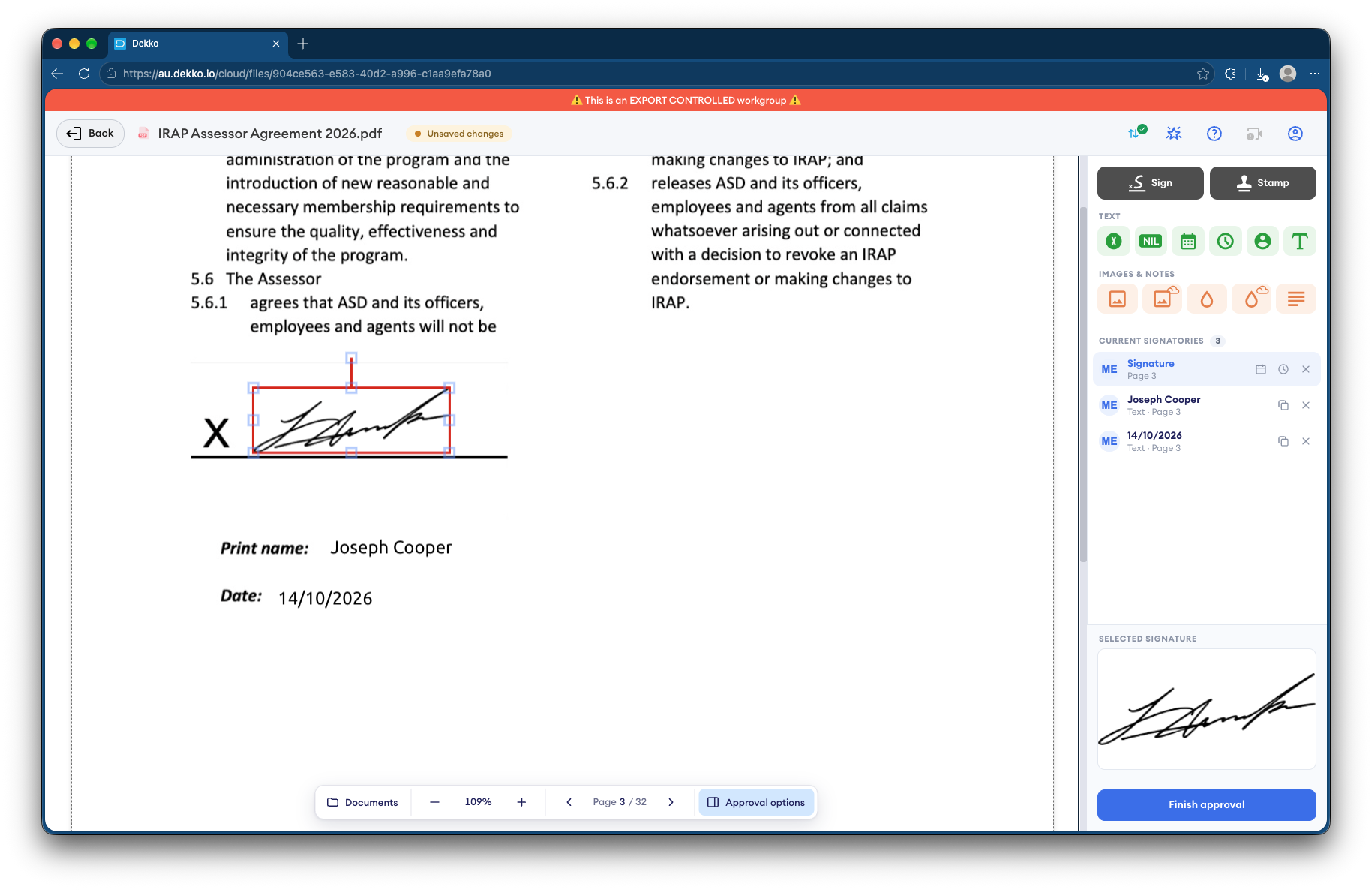
- Doctor's sign-off
- Signed in the browser.
- Delivery
- To insurers, lawyers and schemes.
- Read receipts
- Show when a report was opened.
- Copy check
- File verification shows if a copy changed.
Why medico-legal reports get disputed
A medico-legal report can decide a claim, so the parties need to know the doctor signed it and that nobody has changed it since.
Today
- Reports signed, scanned and emailed
- Copies edited after they leave the practice
- No proof a report was received
- Health details in many inboxes
With DekkoCORE
- Signed by the doctor in the browser
- Any copy can be checked against the original
- Read receipts show when it was opened
- Shared only with the parties on the claim
How it works in DekkoCORE
One report, from the examination to a disputed copy checked later.
Step 1
Upload the report
Add the report to the claim's folder.
- Hub folders
Step 2
The doctor signs
Request the examining doctor's signature in the browser.
- Request signature
Step 3
Send it to the parties
Share it with the insurer, lawyers or scheme, each at the access they need.
- Download
- View only
Step 4
Confirm it arrived
A read receipt on your covering message shows when it was opened.
- Read receipts
Step 5
Check any copy
If a copy is disputed, check it with DekkoSecure's file validator.
- File verification
Who gets what access
A typical claim. You can change or remove anyone's access at any time.
Medico-legal practice
Full permissions
Prepares and delivers reports.
Examining doctor
Signature request
Signs the report.
Insurer or compensation scheme
Download
Relies on the report for the claim.
Lawyers for each party
Download or View only
As the claim requires.
The bars show a permission level, from Listing only (one bar) to Full permissions (seven).
Questions
Are the doctor's signatures certificate-based digital signatures?
No. A signature in DekkoCORE is a signature mark applied to the PDF, with the signing recorded against the file.
How can a recipient tell whether a report was changed?
They add their copy to DekkoSecure's file validator. A match shows where it came from, and a copy that's been changed won't match.
Can we see when the insurer received the report?
Yes. A read receipt on your secure mail message shows when it was opened, and the file records each view and download.
Can each party see the others' documents?
Only what you share with them. Access is set per folder and per file.
Where are reports stored?
DekkoCORE is hosted in-country, in Australia, the United States or Canada.
Delivering medico-legal reports?
Tell us how reports are signed and delivered today. We'll show you the same path in DekkoCORE.