

Vendor risk teams · Procurement · Vendors
Collect vendors' assurance reports, with an NDA signed first and each review tracked.
Vendor risk teams have each vendor sign an NDA in the browser, give them a link to upload SOC 2 reports, penetration test summaries and continuity plans, and track each review with status tags, for obligations such as APRA's CPS 230 and CPS 234.
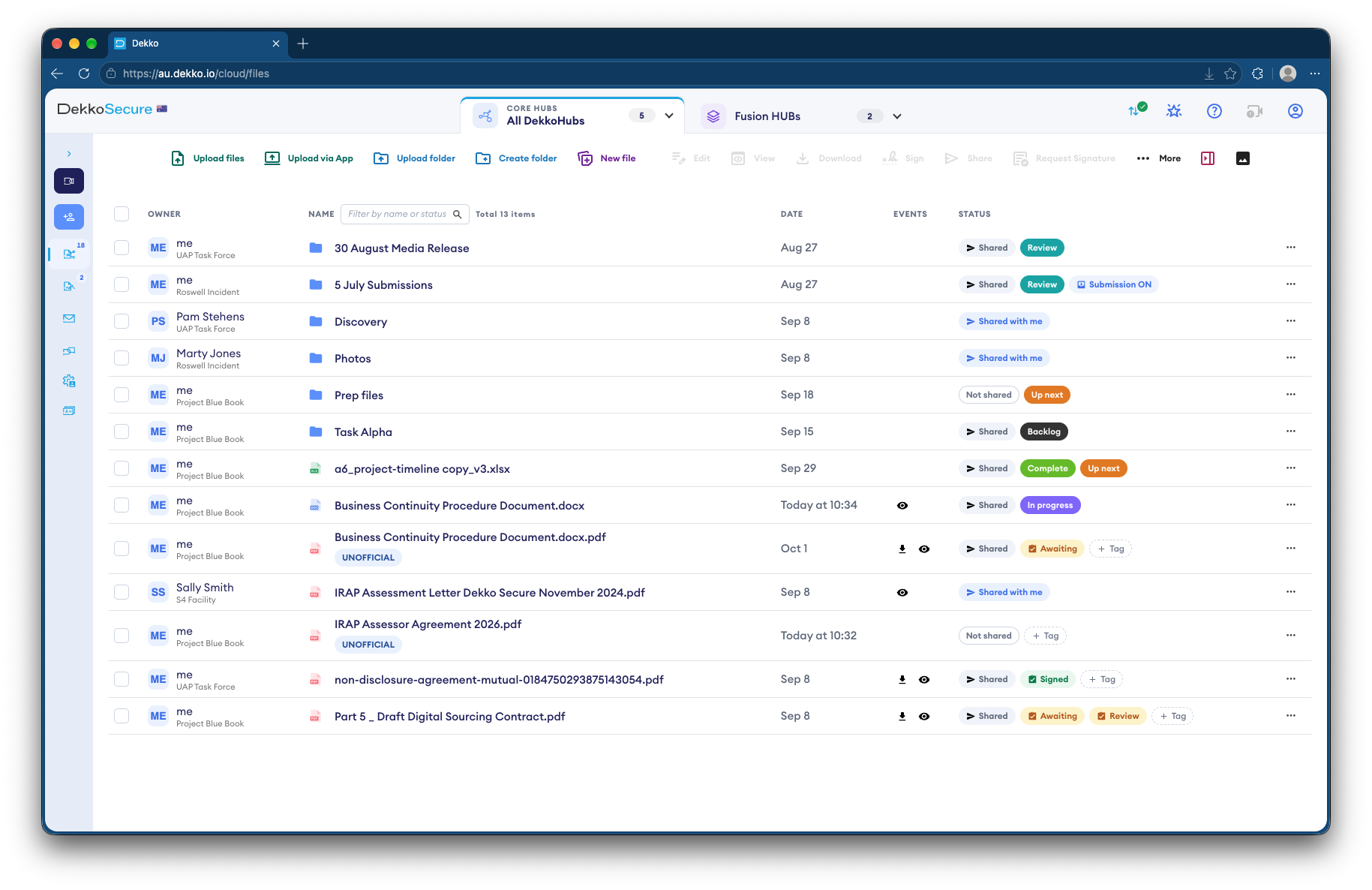
- NDA first
- Signed in the browser.
- Vendor uploads
- Through a link for each vendor.
- Review status
- Status tags on each report.
- Each cycle
- Renew the link for the next review.
Why assurance evidence is hard to collect
Regulated organizations collect SOC 2 reports, penetration test summaries and continuity plans from dozens of vendors, often under NDA, and must show each one was reviewed.
Today
- Reports emailed under NDA
- NDAs signed, scanned and returned
- Review status in a spreadsheet
- Vendor reports in personal inboxes
With DekkoCORE
- Each vendor uploads to its own folder
- The NDA signed in the browser
- Status tags on each report
- Reports kept in one place
How it works in DekkoCORE
One vendor, from the NDA to the next review cycle.
Step 1
Open a folder per vendor
Create a folder for each vendor in your assurance Hub.
- Hub folders
Step 2
Get the NDA signed
Request the vendor's signature on your NDA before anything is shared.
- Request signature
Step 3
Collect the reports
Send the vendor a guest link to upload SOC 2 reports, penetration test summaries and continuity plans.
- Guest link uploads
Step 4
Track each review
Status tags show which reports are under review and which are done.
- Status tags
Step 5
Repeat each cycle
Renew the vendor's link for the next review cycle.
- Renewable guest link
Who gets what access
A typical vendor. You can change or remove anyone's access at any time.
Vendor risk team
Full permissions
Runs the assurance cycle.
Security and continuity reviewers
View only
Review the reports.
Vendor
Guest link with uploads
Signs the NDA and uploads its reports.
Business owners
View only
See the outcome for their vendor.
The bars show a permission level, from Listing only (one bar) to Full permissions (seven).
Questions
How secure is a vendor's link?
Anyone holding a guest link can use it, so send it only to the vendor's contact. Guest links last up to a month and can be renewed.
Can vendors see other vendors' reports?
No. Each vendor uploads to its own folder and sees nothing else.
Are NDA signatures certificate-based digital signatures?
No. A signature in DekkoCORE is a signature mark applied to the PDF, with the signing recorded against the file.
Does this replace our third-party risk platform?
No. DekkoCORE holds and exchanges the evidence, alongside the risk platform you already use.
Where are reports stored?
DekkoCORE is hosted in-country, in Australia, the United States or Canada.
Collecting assurance from vendors?
Tell us how vendor reports reach you today. We'll show you the same review cycle in DekkoCORE.